Bus stop visits report
The Bus stop visits report is intended to monitor visits to stopping points by vehicles assigned to routes. It allows you to determine which stopping points a vehicle visited and view its actual arrival and departure times.
Before generating the report, select the vehicles and the bus line for which you want to check stopping point visits.
What the report shows
Each row represents one recorded visit to a stopping point by a vehicle.
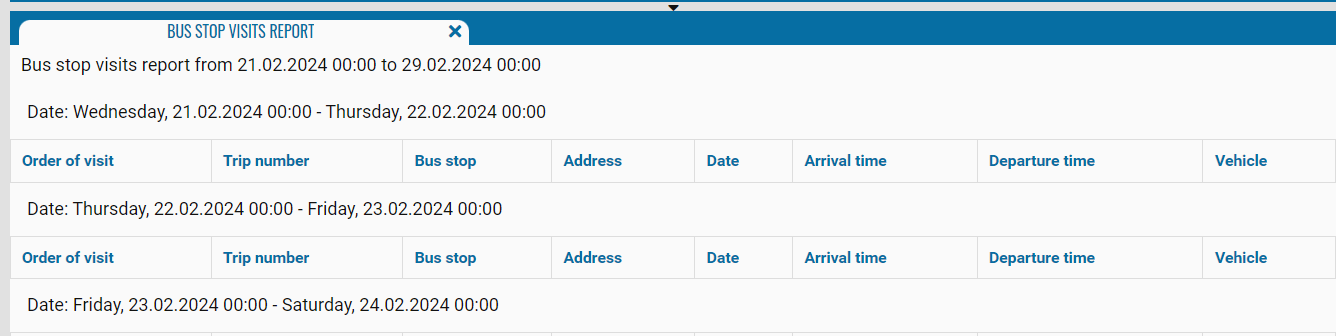
The report displays:
-
Order of visit — the stopping point’s position in the route sequence
-
Trip number — the name or number of the route on which the stopping point was visited
-
Bus stop— the name of the visited stopping point
-
Address — the address of the stopping point
-
Date — the date when the stopping point was visited
-
Arrival time — the time when the vehicle arrived at the stopping point
-
Departure time — the time when the vehicle departed from the stopping point
-
Vehicle — the number of the monitored vehicle that visited the stopping point
If an RFID tag is linked to a bus stop, PILOT can detect a visit using data from the RFID reader installed on the vehicle. A visit recorded this way appears in the report in the same format as one detected using the vehicle’s coordinates.