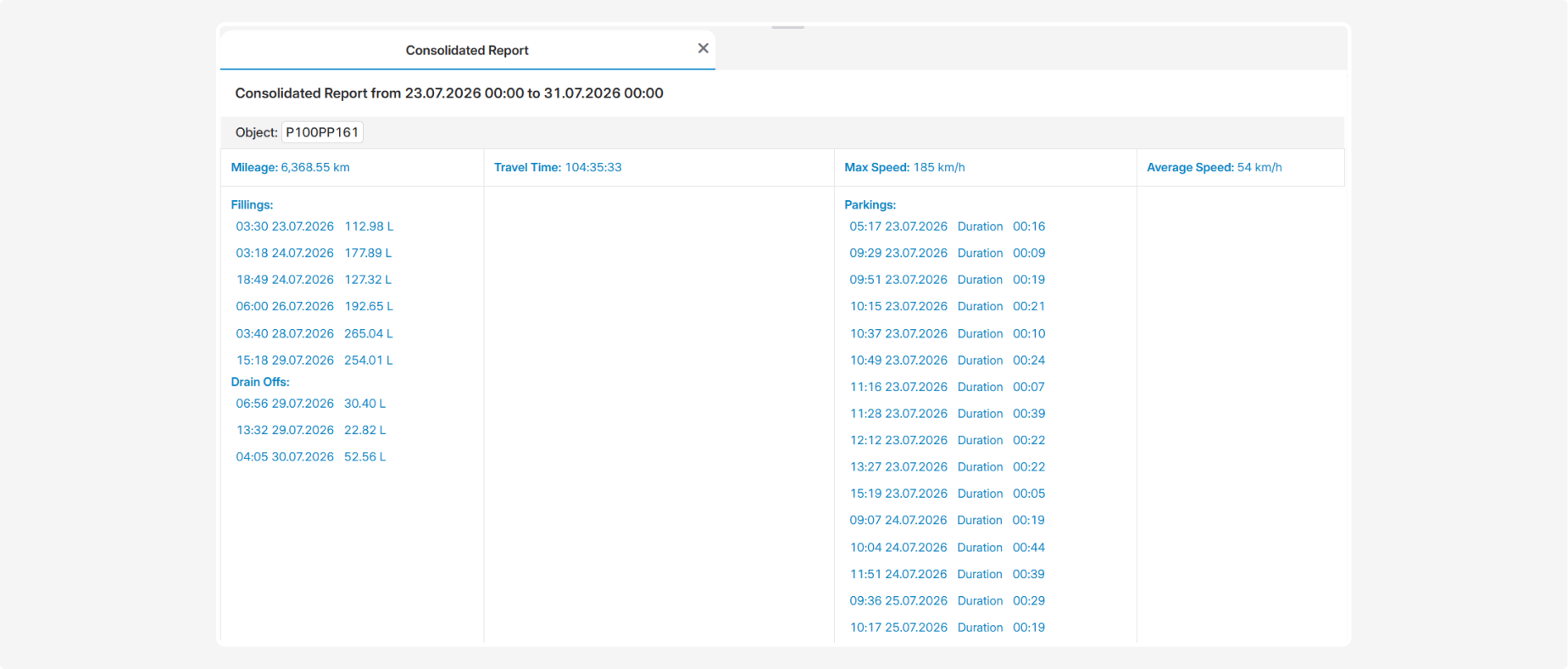
Consolidated report
The Consolidated report provides key information about the operation of selected vehicles during the specified period. It allows you to review mileage and travel time, fuel fillings and drain offs, speeding events, and parking periods.
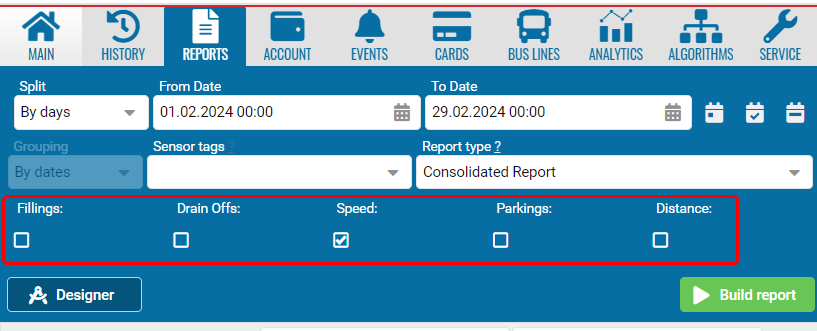
Before building the report, select the reporting period and vehicles, and use the checkboxes to choose the information to include:
-
Fillings
-
Drain Offs
-
Speed
-
Parkings
-
Distance
You can select all parameters or only those you need. A separate data section is generated for each selected vehicle.
What the report shows
At the beginning of each section, Object displays the name of the vehicle for which the values were calculated.
Distance
When the Distance checkbox is selected, the report displays:
-
Mileage — the distance traveled by the vehicle during the selected period
-
Travel Time — the total time spent traveling
-
Max Speed — the maximum recorded speed
-
Average Speed — the average driving speed
Fillings
When the Fillings checkbox is selected, the report displays recorded increases in the fuel level:
-
the date and time of the filling
-
the volume of fuel added in liters
Drain Offs
When the Drain Offs checkbox is selected, the report displays recorded decreases in the fuel level:
-
the date and time of the drain off
-
the volume of fuel drained in liters
Filling and drain-off data is available when a fuel-level sensor is installed and configured correctly.
Speed
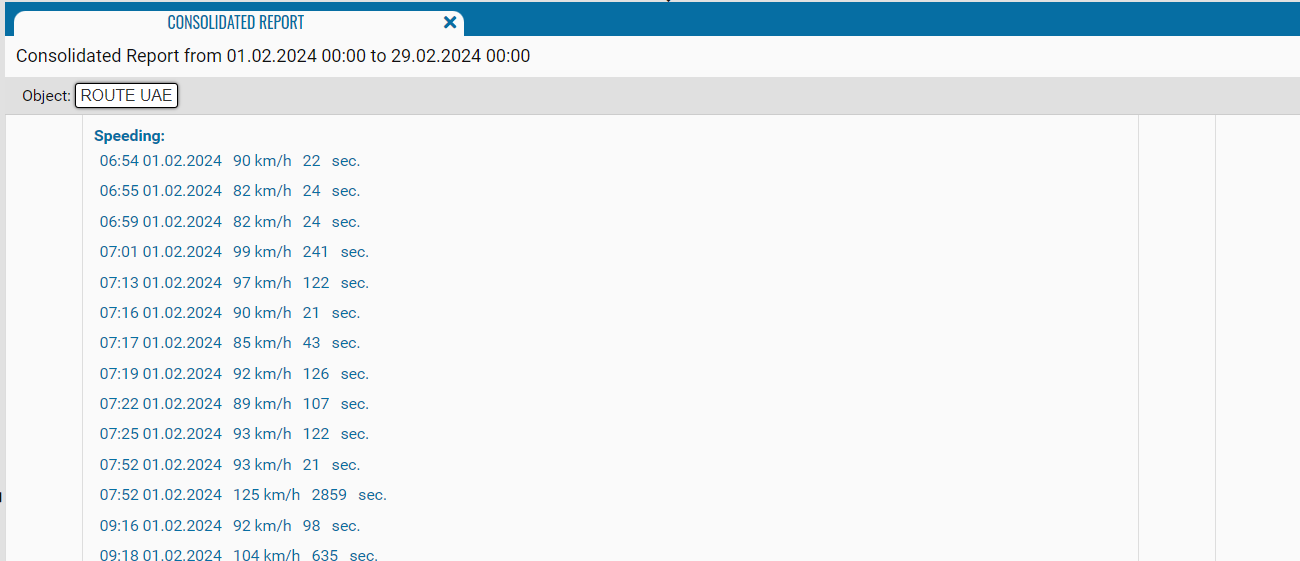
When the Speed checkbox is selected, the report displays speeding events:
-
the date and time when the speeding event started
-
the recorded speed
-
the duration of the event in seconds
Parkings
When the Parkings checkbox is selected, the report displays:
-
the parking start date and time
-
Duration — the duration of the parking period