Driver reports
The Driver Reports section contains documents generated from tasks. Here you can find a required report, check the related data, open the document, download it, print it, or delete the record.
The report template is configured in the corresponding task template. Open Dictionary → Templates, select the required template, and open the Act of accomplished works section.
The template settings determine which data is included in the report and how the generated document looks.
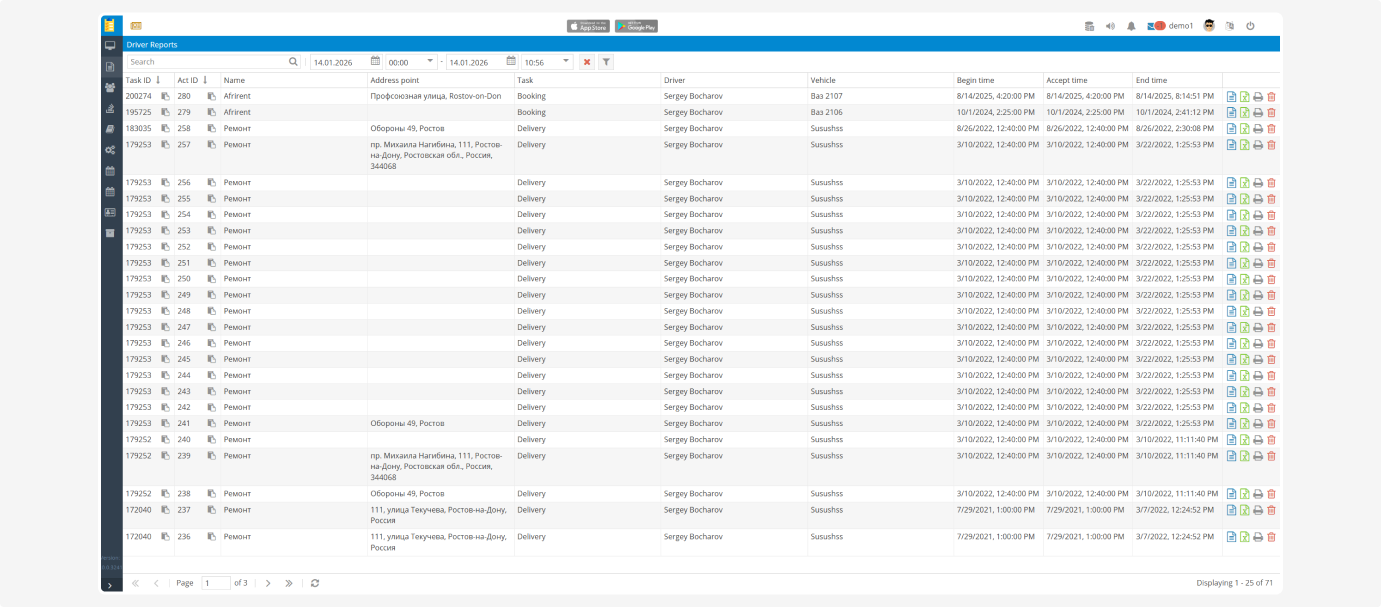
To find a report:
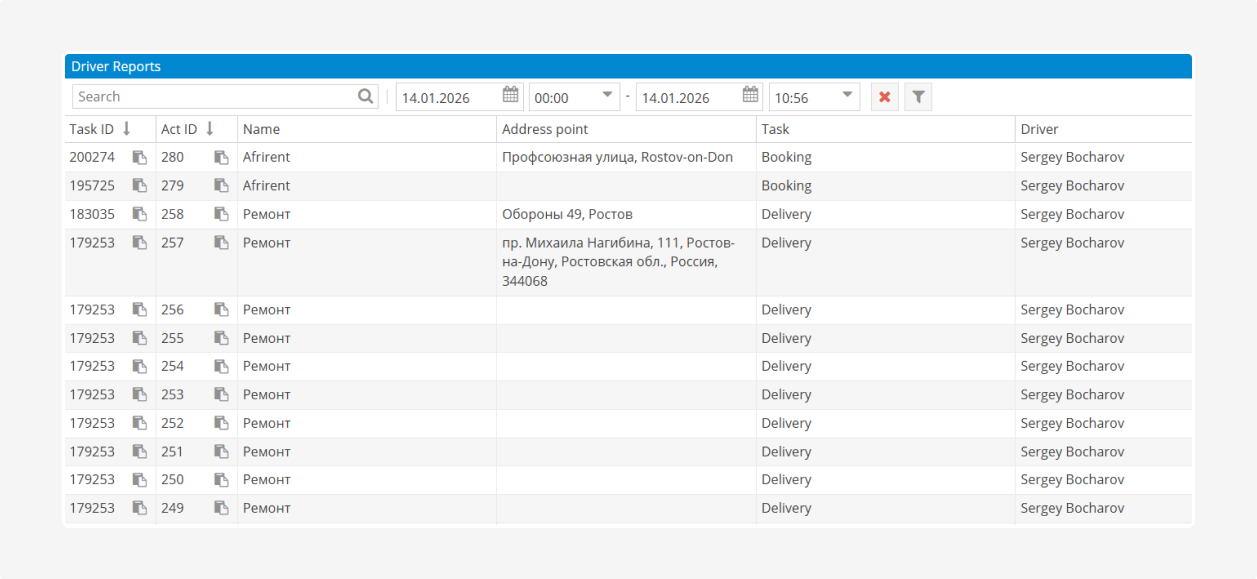
1. Enter a query in the Search field
2. Click the search icon 
3. Review the rows matching the query
Search is performed across the displayed data, such as the Task ID, Act ID, name, or address.
To limit the list to a specific period:
1. Select the start date and time in the first date and time fields
2. Select the end date and time in the second date and time fields
3. Click the filter button 
To clear the selected period and display the full list again, click the Clear button  .
.Table data
The table may include the following columns:
-
Task ID — the ID of the task for which the report was generated
-
Act ID — the unique report ID
-
Name — the document name
-
Address point — the address of the route point
-
Task — the task type
-
Driver — the driver who performed the task
-
Vehicle — the vehicle assigned to the task
-
Begin time
-
Accept time
-
End time
Actions for a driver report
The following buttons are available on the right side of each row:

 View — open the report for viewing

 Download — save the report to your computer
 Print — open the document for printing
 Delete — delete the report if it is no longer needed