Events report
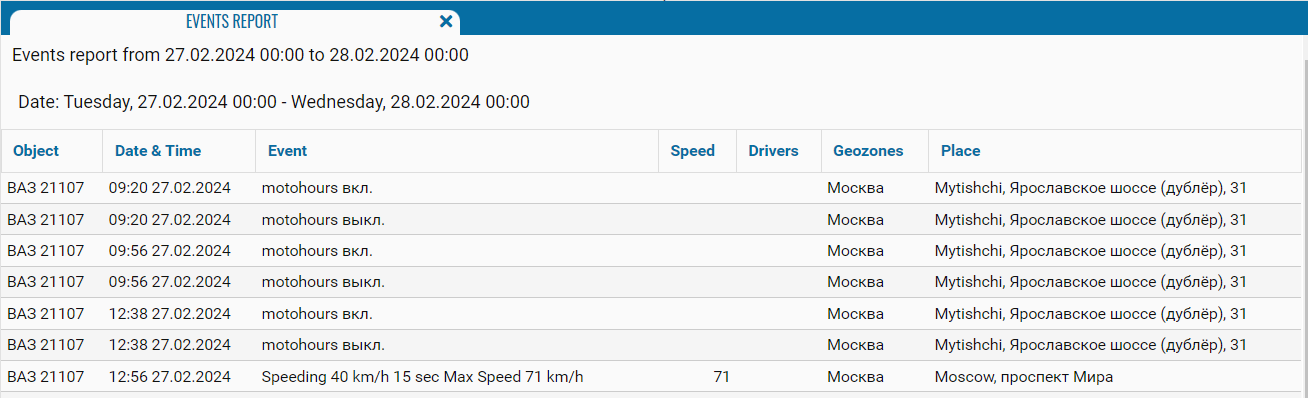
The Events report provides information about events recorded by the system for the selected monitoring objects during the specified period. It allows you to identify which event occurred, when and where it was recorded, the speed of the object, and the driver assigned to it.
What the report shows
-
Object — the name or identification number of the monitoring object
-
Date & Time — the date and time when the event was recorded
-
Event — the event type and additional details
-
Speed — the object’s speed when the event was recorded. The field may be empty if speed does not apply to the event
-
Drivers — the driver assigned to the object when the event occurred
-
Geozones — the geozone where the event was recorded
-
Place — the address or description of the object’s location when the event occurred
The report contents depend on the events, sensors, and notifications configured for the selected objects.