Fuel Movement Report
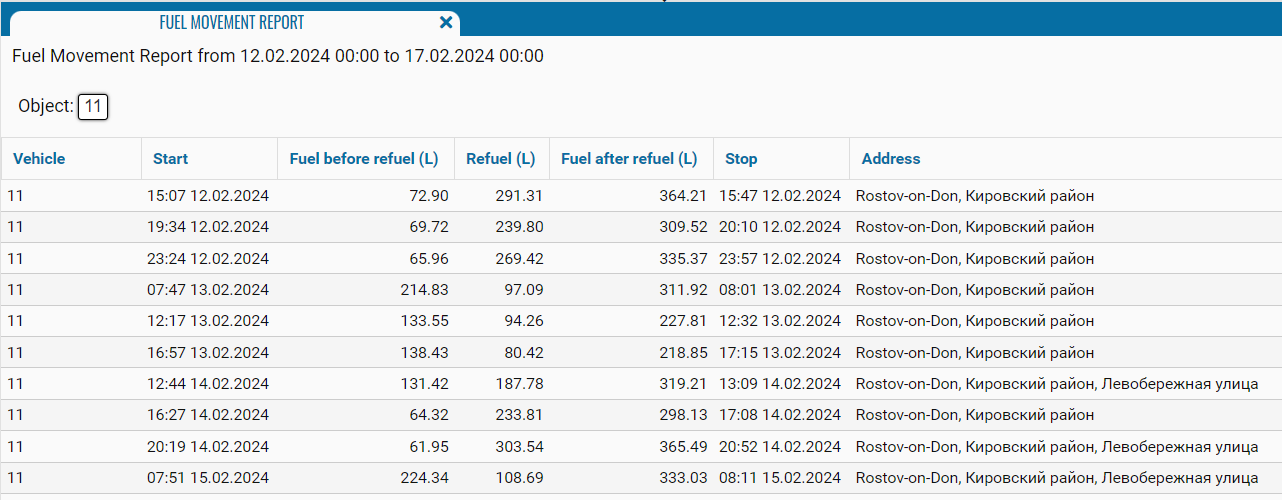
This report is designed to account for fuel at the beginning of the day and at the end of the day.
The report contains:
• Vehicle - monitoring object;
• Start - time and date of the beginning of the movement of the vehicle.
• Fuel at start of refueling (l) - fuel level at the beginning of the day;
• Refuel (l) - filling in liters;
• Fuel after refueling (l) - fuel level at the end of the day.
• Stop - time and date of the end of the movement of the vehicle.
• Address - the address where the refueling was made.
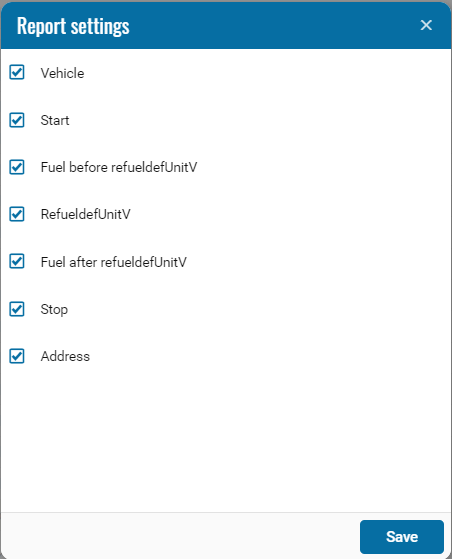
If necessary, you can disable certain parts of the report by clicking on the icon , when pressed, a menu opens where you can disable / enable certain fields.
, when pressed, a menu opens where you can disable / enable certain fields.