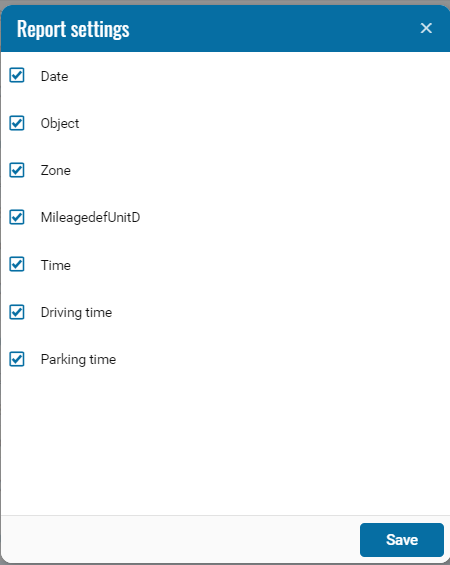
Mileage in Geozones
The Mileage in Geozones report shows how many kilometers a vehicle traveled inside each selected geofence during the specified period, as well as how long it stayed there — both in motion and parked.
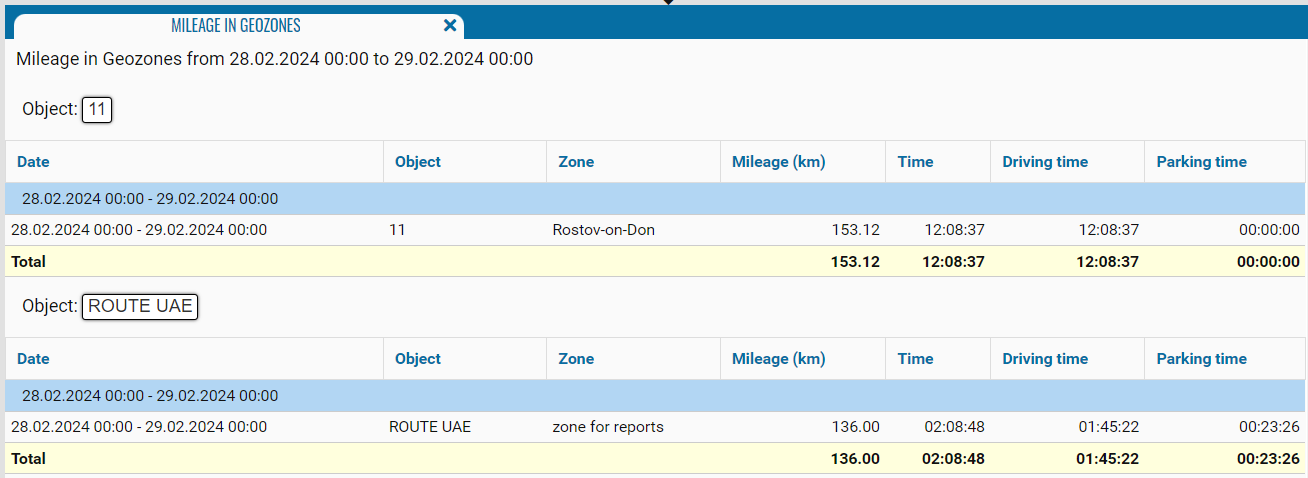
When generating the report, select one or several geofences — the system will calculate mileage, driving time, and parking time inside the selected zones for the specified period.

You can also use additional checkboxes to refine the calculation.


What the report shows
Each row represents one vehicle within one geofence for the selected period.
The report includes the following data:
-
Date — the period for which the metrics are calculated
-
Object — the vehicle the report is generated for
-
Zone — the name of the geofence where movement was recorded
-
Mileage (km) — the number of kilometers the vehicle traveled inside the zone
-
Time — total time spent in the zone
-
Driving time — time the vehicle was moving inside the geofence
-
Parking duration — time the vehicle was stationary inside the zone
At the bottom of the report, a Total row displays the aggregated values:
— total mileage across all selected geofences
— total time spent
— total driving time
— total parking duration