Parkings report
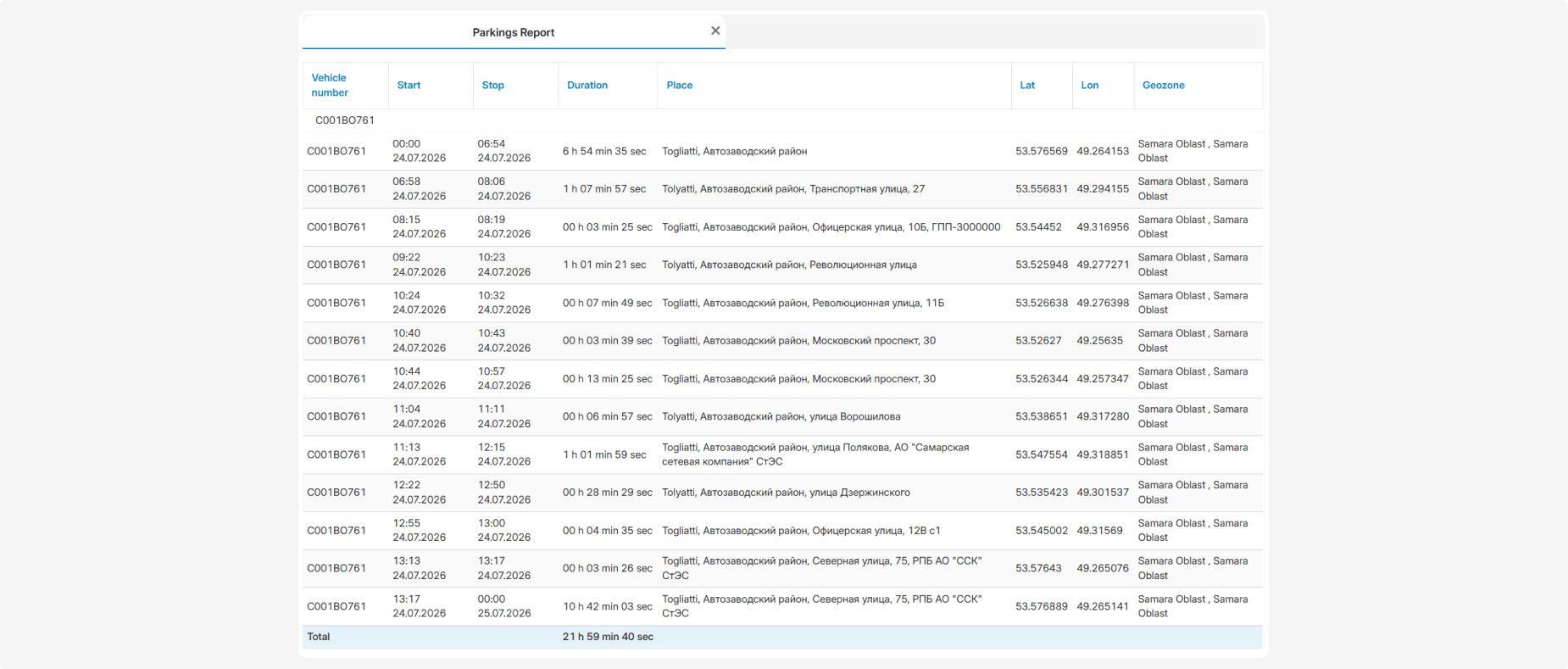
The Parkings report provides information about the parking intervals of the selected vehicles during the specified period. It allows you to find out when and where a vehicle was parked, how long the parking interval lasted, and which geozone the vehicle was located in.

Before building the report, select a period and the required vehicles. You can also specify which parking intervals should be included:
1 — Min time (sec) — the minimum parking duration. Shorter parking intervals are not included. For example, if the value is set to 120, the report shows parking intervals lasting at least two minutes.
2.— Max time (sec) — the maximum parking duration. Parking intervals longer than the specified value are not included. A value of 0 means that no maximum duration is applied.

These settings help exclude parking intervals that are too short or too long and retain only the intervals required for analysis.
What the report shows
-
Vehicle number — the vehicle name, registration number, or fleet number
-
Start — the date and time when the parking interval started
-
Stop — the date and time when the parking interval ended
-
Duration — the total parking duration
-
Place — the address or description of the vehicle’s parking location
-
Lat — the latitude of the parking location
-
Lon — the longitude of the parking location
-
Geozone — the geofence in which the parking interval was recorded
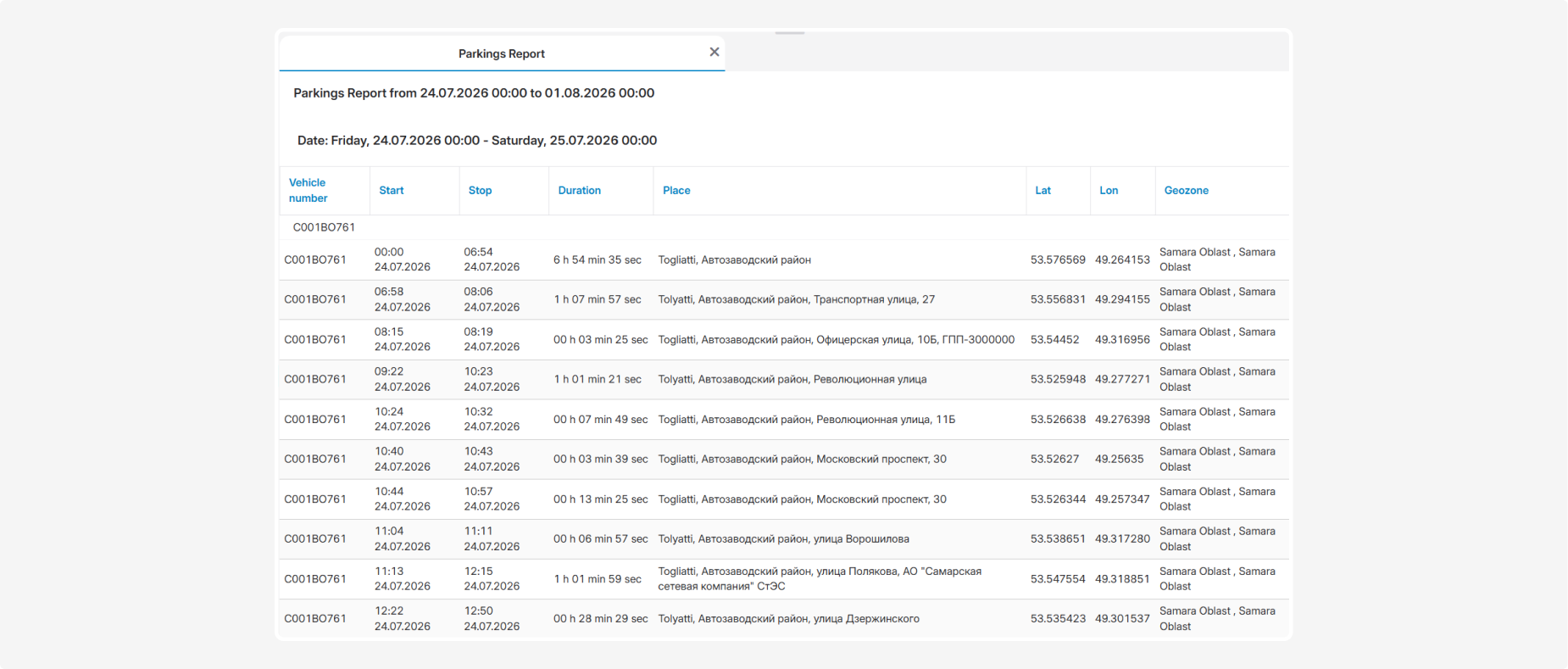
The Total row shows the total duration of all parking intervals for the corresponding vehicle within the specified period.