Relaying
The Relaying section is designed for transmitting monitoring object data to external systems.
For example, data can be sent to:
— city platforms
— integration services
— monitoring systems such as Wialon
— servers using the EGTS protocol
— REST APIs
— other external systems that accept telematics data
The relay process is based on the following principle:
1. Create a data transmission destination (endpoint)
2. Configure connection parameters for the external system
3. Connect one or more objects to this endpoint
After that, the system will automatically start sending data from the selected objects to the external system.
This approach allows you to configure the connection once and reuse it for any number of objects without re-entering server addresses, ports, authentication details, or other settings.
Relaying section tabs
The Relaying section consists of three tabs:
Endpoints
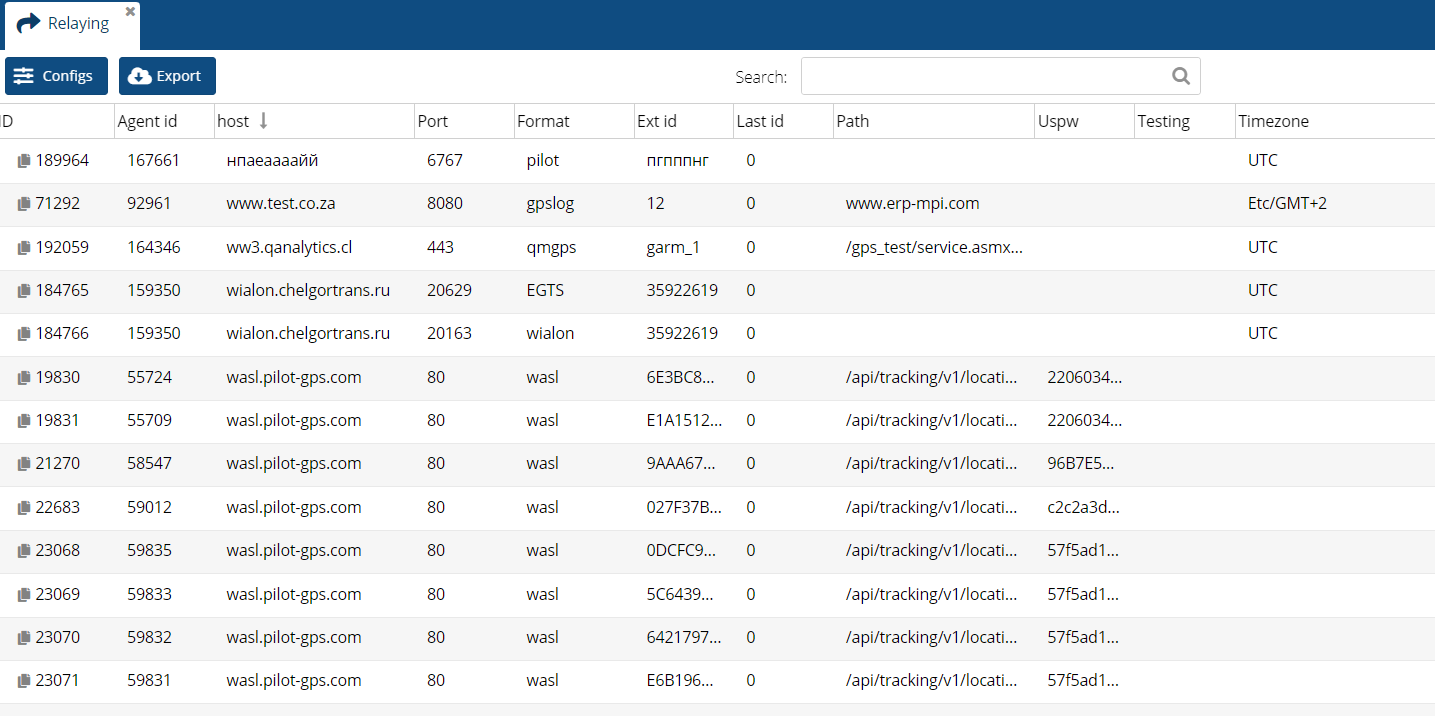
Data transmission destinations to external systems. This is where connection settings are configured, such as server address, port, protocol, authentication data, and other parameters.
Statistics
Transmission statistics, error information, and delivery status. Here you can check for errors, view the number of sent and received packets, monitor queue status, and ensure that data is successfully delivered to the external system.
Objects
Objects connected to the relay. Any number of objects can be linked to a single endpoint. An object can be disconnected or reassigned to another endpoint if needed.
Key relay concepts
Below are the main terms used in this section.
Endpoint
A data transmission destination to an external system.
An endpoint includes connection parameters such as:
— server address
— port
— data transfer protocol
— path (if required)
— authentication parameters
— additional settings
One endpoint can be used by multiple objects. For example, if all objects must send data to a single Wialon account, you only need to create one endpoint and connect all required objects to it.
Object
A vehicle, device, or any other monitored entity whose data is transmitted via an endpoint. Each object can have its own relay settings, such as an external identifier or transmission schedule.
Partner
A partner agreement that owns the endpoint.
Depending on access rights, a user may work only with their own endpoints or also view endpoints belonging to subordinate partners.
Contract
An end-user agreement that owns the monitoring object.
Auto add (Automatic object assignment)
This feature allows new objects from a selected contract to be automatically connected to an endpoint.
For example, if all client objects must send data to the same external system, a rule can be configured so that every newly created object in the selected contract is automatically attached to the endpoint without additional manual setup.
External ID
An identifier of the object in the external system. By default, the IMEI of the device is typically used as the External ID, but it can be changed if needed.
The external system uses this ID to recognize the object and match incoming data.
Uspw
Authentication data used for sending information to an external system. Depending on the protocol, this may include a login, password, token, or other access credentials. If additional authentication parameters are required, they are specified in the Json config field.
Available data and actions depend on the user role in the admin panel.
Administrator
An administrator has full access to the section and can:
— view all endpoints
— manage all relay objects
— create, edit, and delete endpoints
— view overall relay statistics
— work with test endpoints
User (Partner)
A partner user can only see data related to their partner structure.
Available actions:
— their own endpoints
— endpoints of subordinate partners
— objects within accessible contracts
— statistics for available endpoints
A partner cannot view or modify data belonging to other partner structures.