Reports of loads and unloads
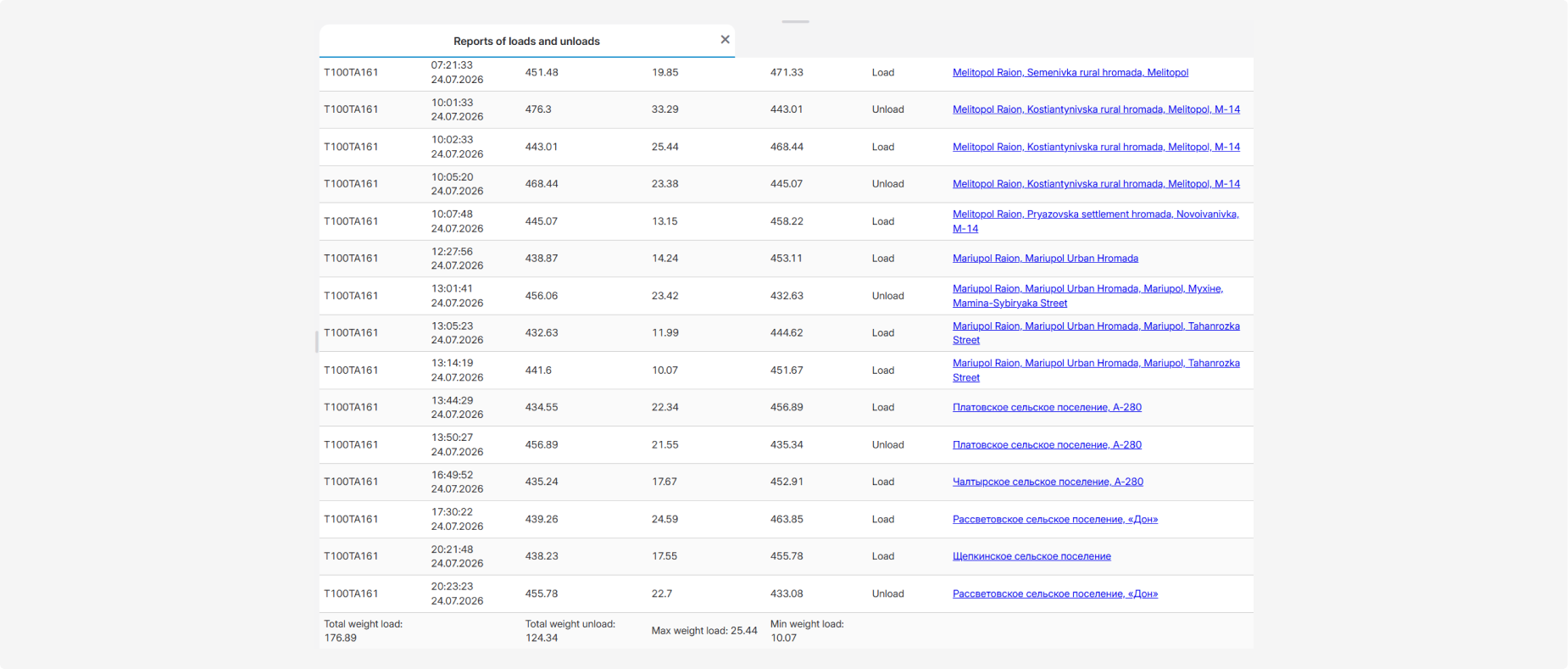
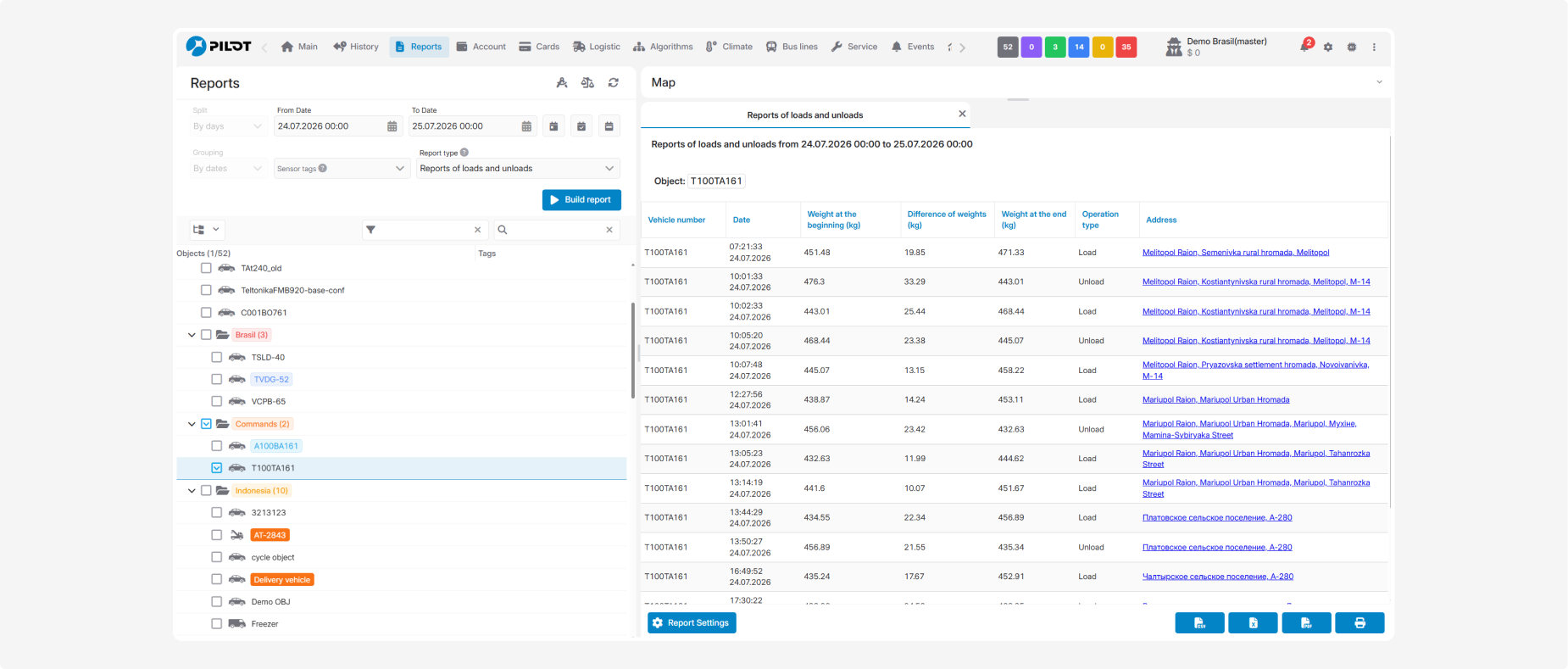
The report provides information about loading and unloading operations performed by the selected vehicles during the specified period. It allows you to determine when and where the cargo weight changed, identify the operation type, and compare the weight sensor readings before and after the operation.
A load is recorded when the detected weight increases, while an unload is recorded when it decreases. Each row represents one detected operation.
What the report shows
-
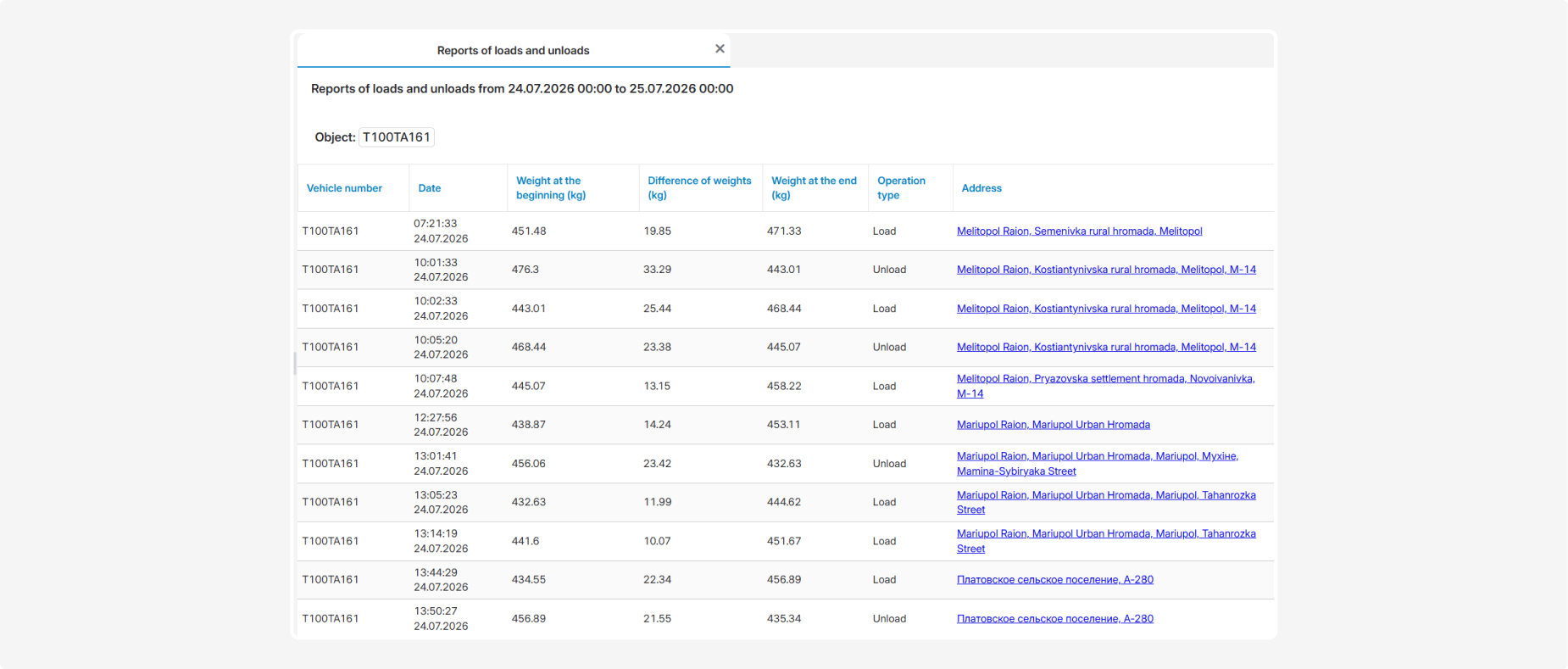
Vehicle number — the vehicle name, registration number, or fleet number
-
Date — the date and exact time when the operation was recorded
-
Weight at the beginning (kg) — the weight sensor reading before the operation
-
Difference of weights (kg) — the amount by which the weight changed during loading or unloading
-
Weight at the end (kg) — the weight sensor reading after the operation
-
Operation type — the type of recorded change:
-
Load — the vehicle weight increased
-
Unload — the vehicle weight decreased
-
Address — the address or description of the location where the operation was performed
The address is displayed as a link that opens the corresponding location.
Summary
The bottom section of the report shows:
-
Total weight load — the total weight loaded
-
Total weight unload — the total weight unloaded
-
Max weight load — the maximum weight recorded for a single load
-
Min weight load — the minimum weight recorded for a single load