Runs
The Runs report provides information about trips completed by the selected vehicles during the specified period. It allows you to determine when and where each trip started and ended, its duration, distance travelled, speed, and the coordinates of its start and end points.
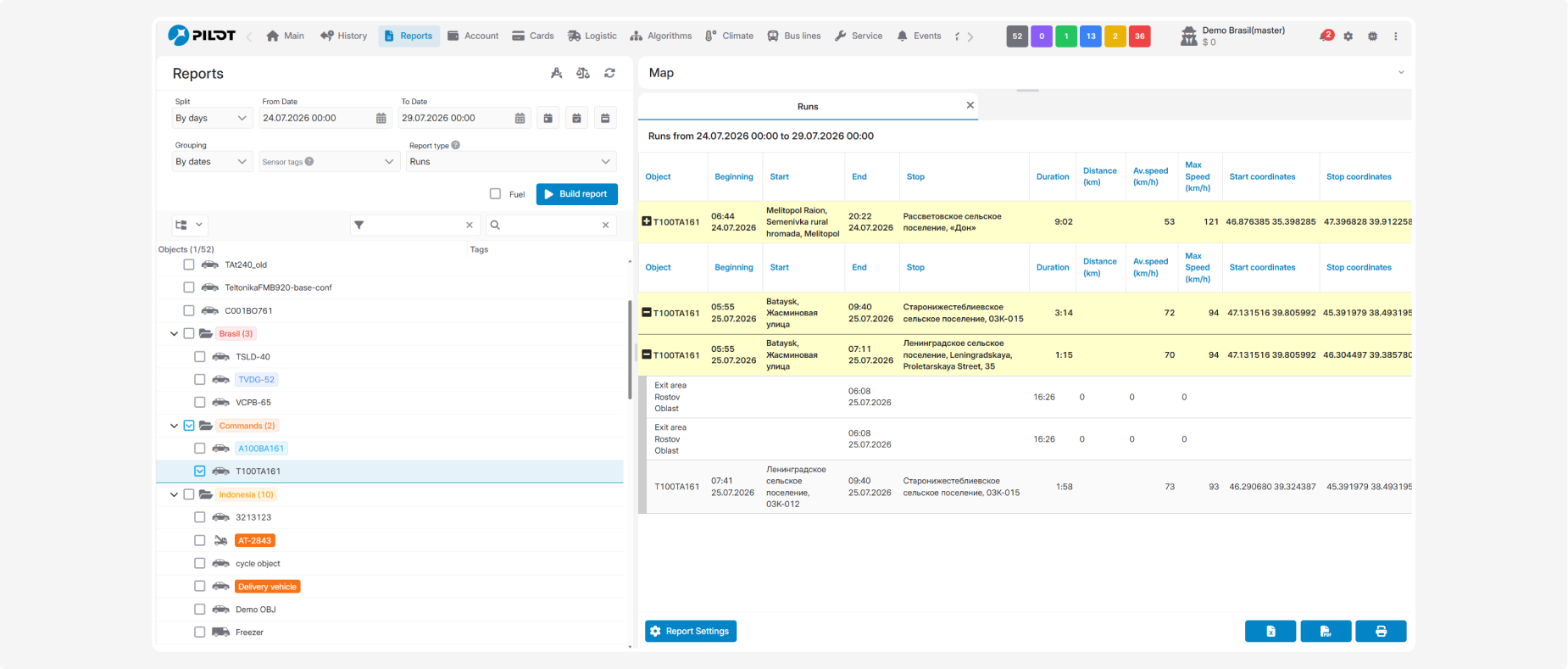
To view individual trips, click the  icon to the left of the object name. The detailed trips will appear below the summary row. To collapse the list, click the
  icon.
icon.
icon to the left of the object name. The detailed trips will appear below the summary row. To collapse the list, click the icon.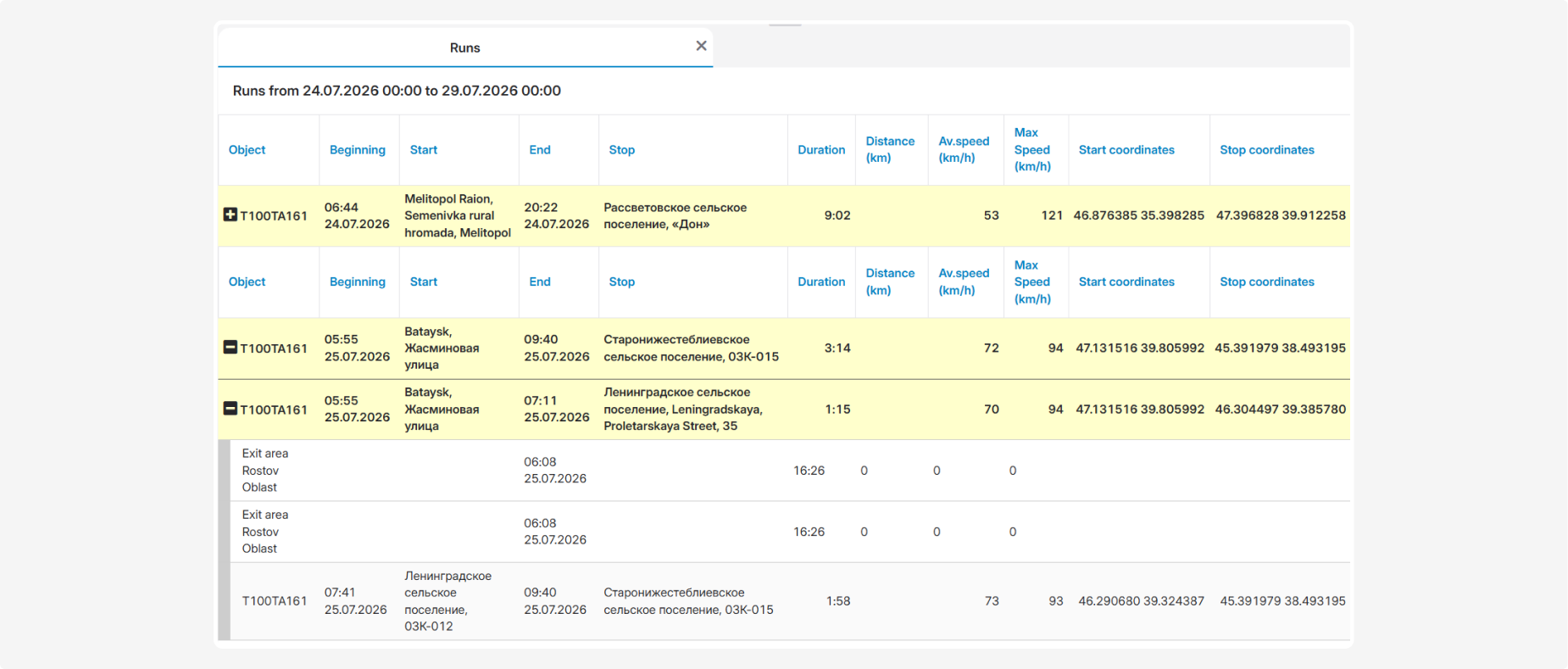
What the report shows
-
Object — the vehicle name or number
-
Beginning — the date and time when the trip started
-
Start — the address or description of the trip’s starting location
-
End — the date and time when the trip ended
-
Stop — the address or description of the trip’s ending location
-
Duration — the trip duration
-
Distance (km) — the distance travelled during the trip
-
Av. speed (km/h) — the average driving speed
-
Max Speed (km/h) — the maximum speed recorded during the trip
-
Start coordinates — the latitude and longitude of the trip’s starting point
-
Stop coordinates — the latitude and longitude of the trip’s ending point
Fuel data
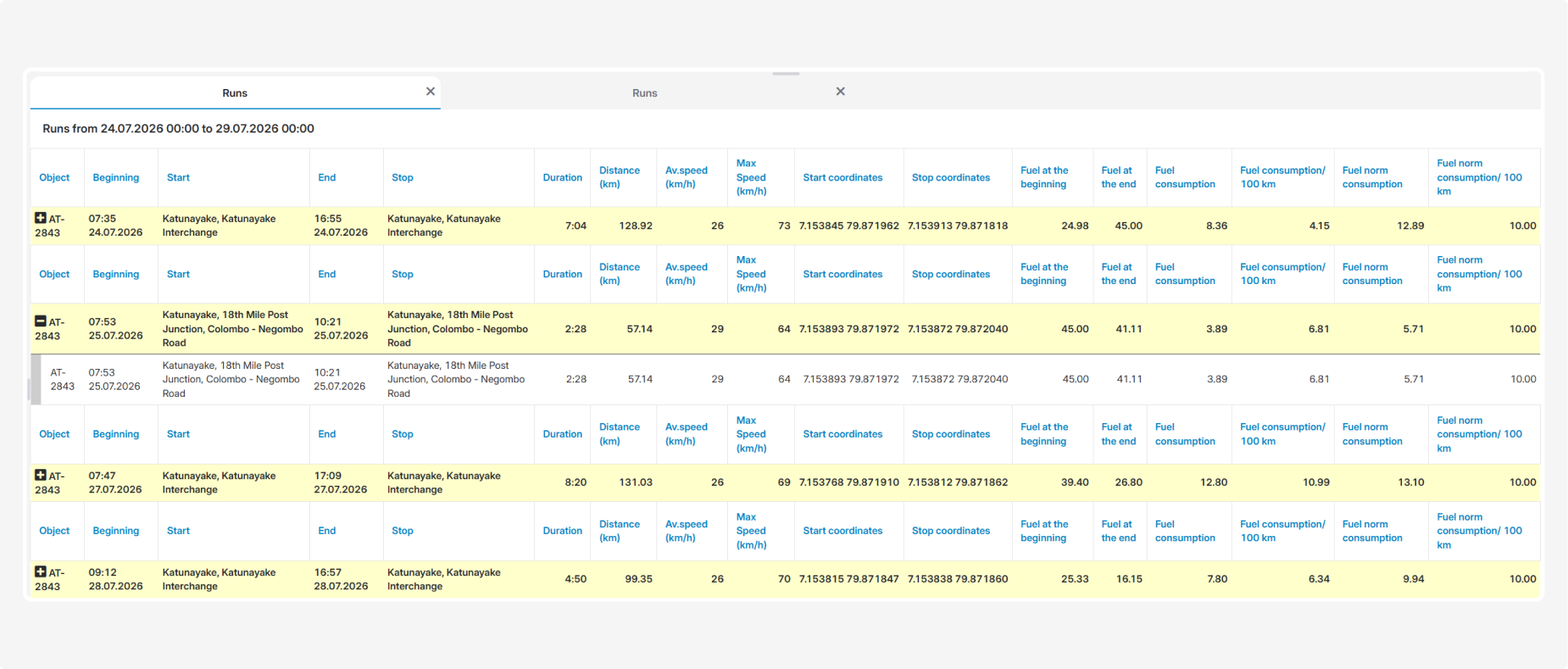
Before building the report, you can select the Fuel checkbox.

The following columns will then be added to the table:
-
Fuel at the beginning — the fuel sensor reading at the beginning of the trip
-
Fuel at the end — the fuel sensor reading at the end of the trip
-
Fuel consumption — the amount of fuel consumed during the trip
-
Fuel consumption/100 km — fuel consumption based on sensor readings, calculated per 100 km
-
Fuel norm consumption — estimated fuel consumption based on the configured fuel consumption rate
-
Fuel norm consumption/100 km — the configured standard fuel consumption per 100 km
Actual fuel level and consumption values are available when a fuel sensor is installed and configured correctly.
Viewing a trip on the map
You can expand the Map section above the report. To display a particular trip, first expand the list using the + icon, and then click the required trip row.
The map shows:
-
the vehicle’s route
-
the trip’s start and end points
-
the direction of travel
-
the vehicle’s position
-
the route sections corresponding to the selected trip
