Working hours #2
The Working Hours #2 report provides information about the mileage and working time of the selected vehicle for the specified period. It allows you to compare odometer readings with the calculated mileage, determine the number of trips, and break down working time into normal, overtime, public holiday, and Sunday hours.
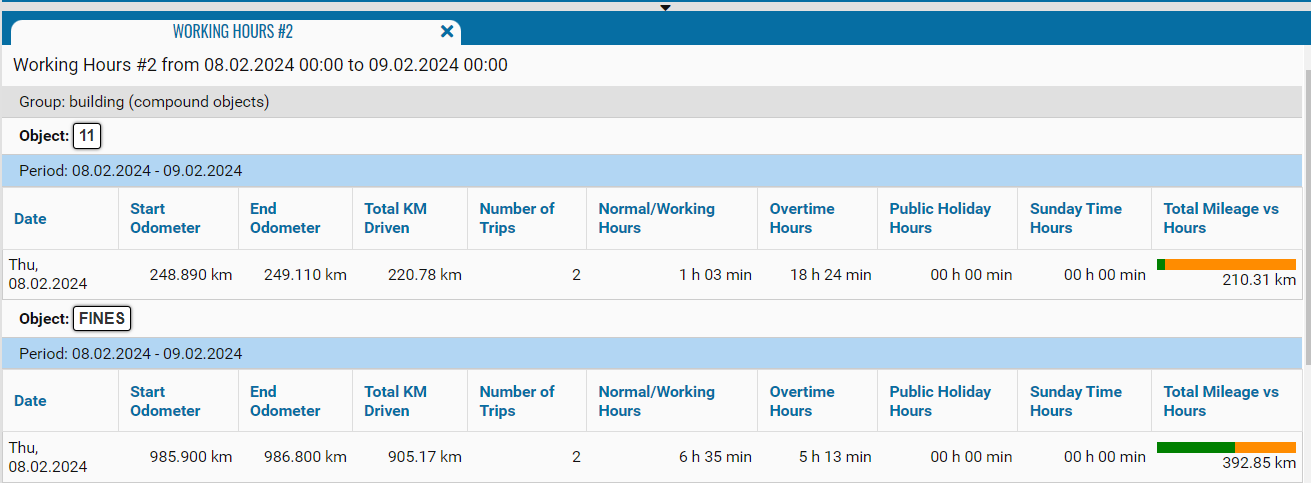
What the report shows
• Date — the date for which the values were calculated
• Start Odometer — the odometer reading at the beginning of the first trip on the corresponding date
• End Odometer — the odometer reading at the end of the last trip on the corresponding date
• Total KM Driven — the total distance traveled by the vehicle during the day
• Number of Trips — the number of trips recorded on the corresponding date
• Normal/Working Hours — the working time within the configured work schedule
• Overtime Hours — the working time exceeding the configured normal working hours
• Public Holiday Hours — the working time recorded on public holidays
• Sunday Time Hours — the working time recorded on Sundays
• Total Mileage vs Hours — a graphical comparison of mileage and working-hour categories. The colored sections of the bar show the distribution of the values, while the calculated mileage is displayed below it
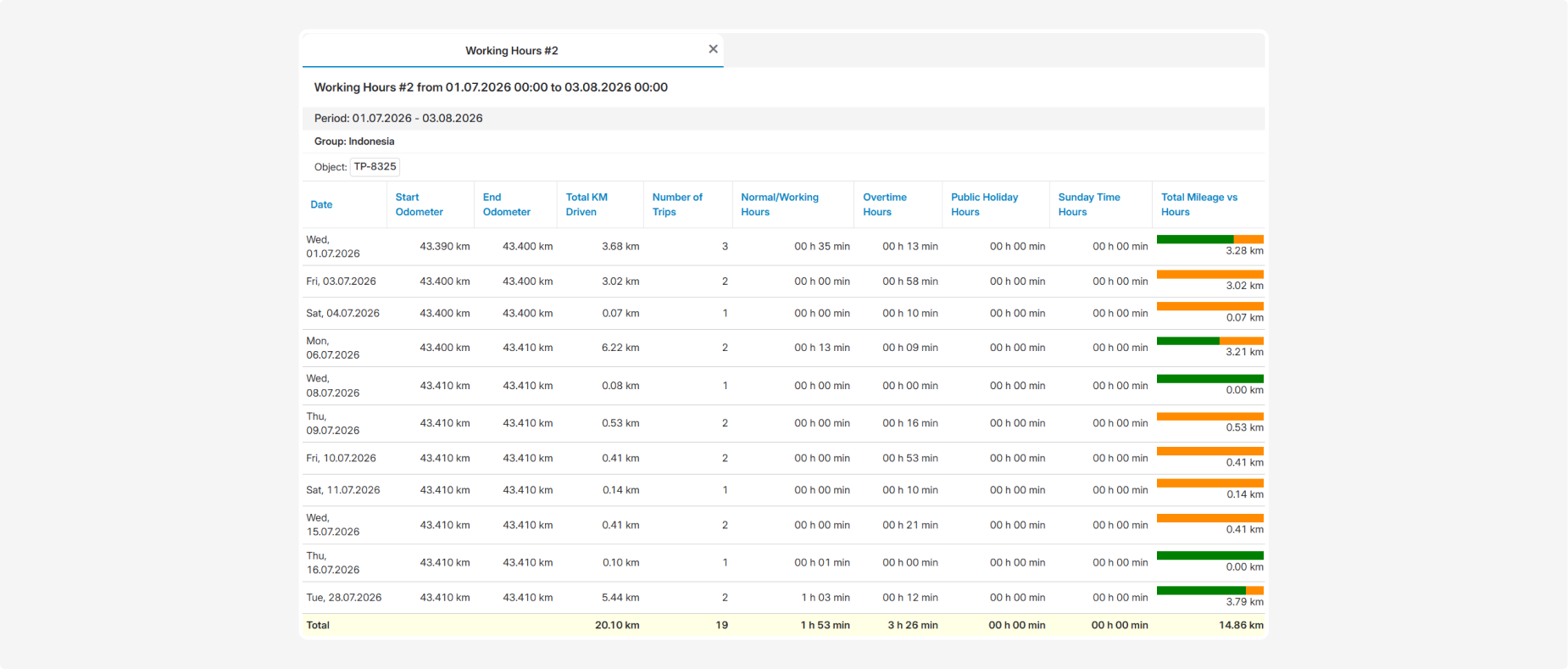
Total values
The bottom Total row displays the totals for the entire reporting period:
• total vehicle mileage
• total number of trips
• total normal working hours
• total overtime hours
• total working time on public holidays
• total working time on Sundays
• total value in the Total Mileage vs Hours column