Connection lost
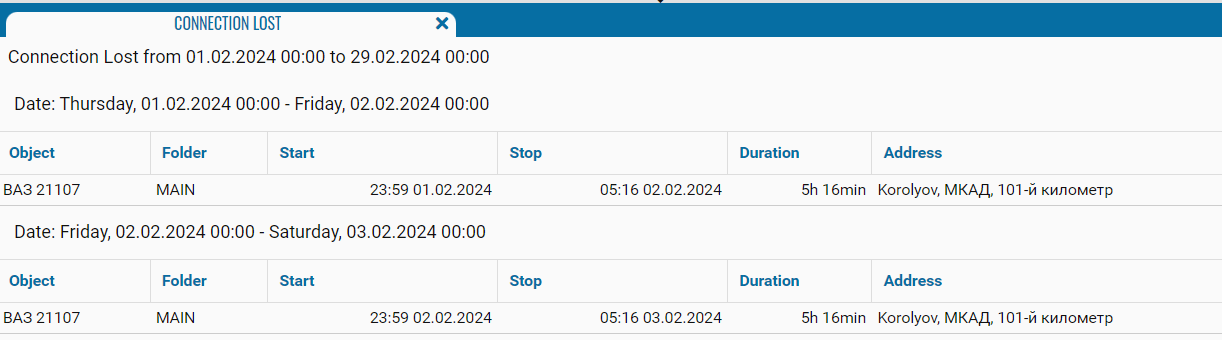
The Connection lost report provides information about periods when the system did not receive data from monitoring objects. It allows you to identify which vehicle lost connection, when the connection was lost, how long the interruption lasted, and where the object was located according to the latest available data.
Before building the report, select the reporting period and vehicles, and enter a value in the Min time (sec) field.
The Min time (sec) field specifies the minimum duration of a connection loss required for the event to be included in the report. The value is entered in seconds.
For example:
-
120— displays connection loss intervals lasting two minutes or longer
-
300— displays connection loss intervals lasting five minutes or longer

Intervals shorter than the specified value are excluded from the report. This setting helps filter out brief connection interruptions and display only significant events.
What the report shows
-
Object — the name of the vehicle or other monitoring object
-
Folder — the folder containing the object in the object list
-
Start — the date and time when the system stopped receiving data from the object
-
Stop — the date and time when the interval ended or data transmission resumed
-
Duration — the total duration of the connection loss
-
Address — the object’s address or location based on the latest available data