Drain Offs
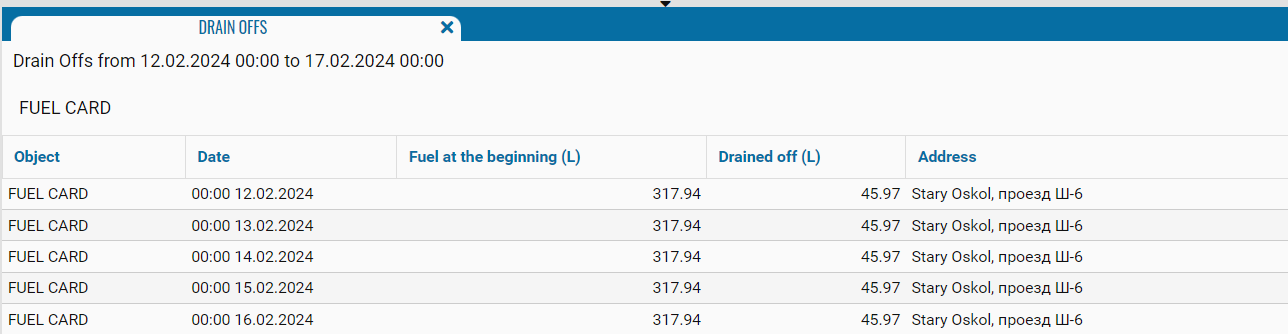
This type of report is intended to display information about fuel drains at a monitoring facility.
The report contains:
• Object - monitoring object, where the fuel drain was recorded.
• Date - date and time of the drain.
• Fuel at beginning - fuel level at the start of draining.
• Drained off (l) - amount of drained fuel.
• Address - the address where the fuel was drained.
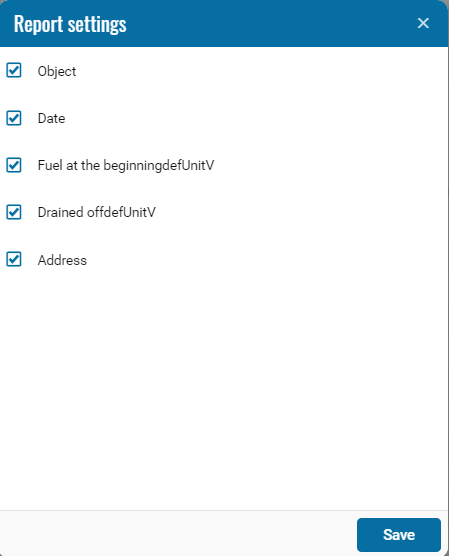
If necessary, you can disable certain parts of the report by clicking on the icon , when pressed, a menu opens where you can disable / enable certain fields.
, when pressed, a menu opens where you can disable / enable certain fields.