Sky Favorit report
The Sky Favorit report provides information about vehicle movements and parkings during the selected period. It helps you determine when and where a vehicle was moving or parked, review trip duration and distance, and monitor the operation of the door, air conditioner, and heater.
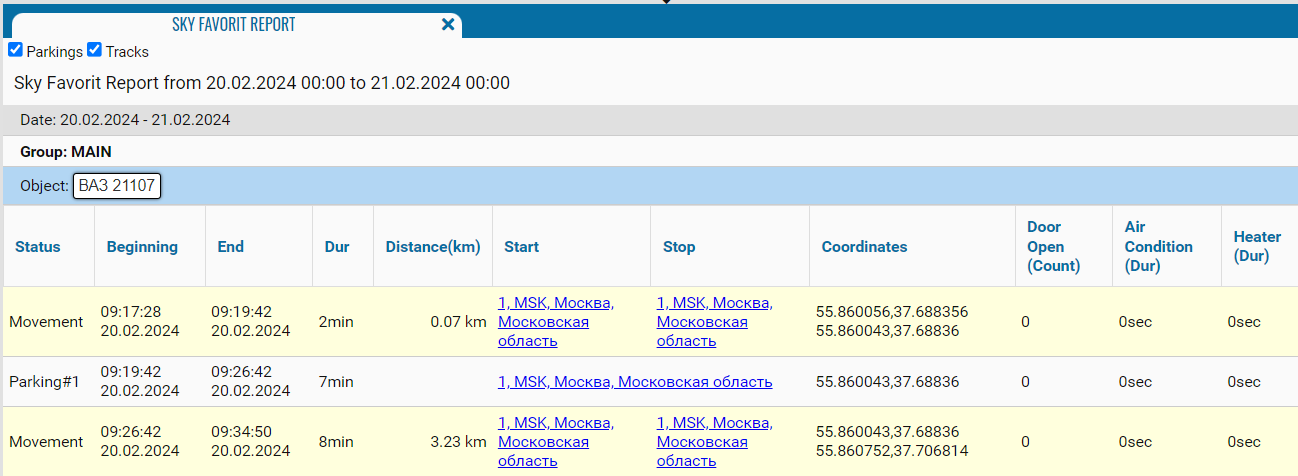
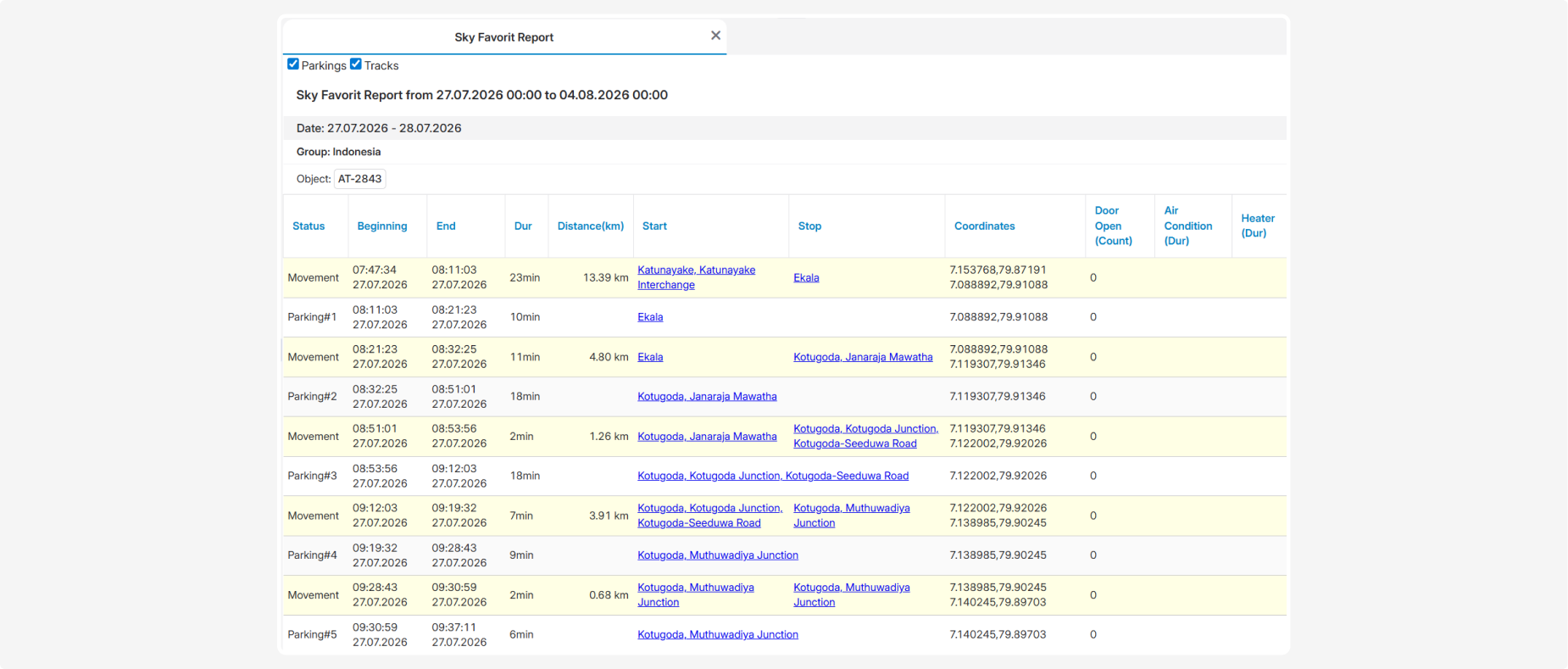
What the report shows
-
Status — the vehicle status: movement or a numbered parking
-
Beginning — the date and time when the movement or parking began
-
End — the date and time when the movement or parking ended
-
Dur — the duration of the corresponding interval
-
Distance (km) — the distance traveled during a movement interval
-
Start — the address where the movement or parking began
-
Stop — the address where the movement or parking ended
-
Coordinates — the latitude and longitude of the interval’s start and end points
-
Door Open (Count) — the number of registered door openings
-
Air Condition (Dur) — the operating duration of the air conditioner
-
Heater (Dur) — the operating duration of the heater
Door, air conditioner, and heater data is displayed when the corresponding sensors are available and configured correctly.
Summary indicators
The following summary indicators are displayed at the bottom of each object section:
-
Total mileage — the total distance traveled by the vehicle
-
Movement time — the total duration of movement
-
Parking time — the total duration of parkings
-
Average speed — the average driving speed
-
Max speed — the maximum recorded speed
-
Fuel consumption (by norma) — the calculated fuel consumption based on the configured rate
-
Fuel consumption (by sensor) — fuel consumption based on fuel sensor readings
-
Average L/100 km (by norma) — the configured fuel consumption rate per 100 km
-
Average L/100 km (by sensor) — the actual fuel consumption per 100 km based on sensor readings
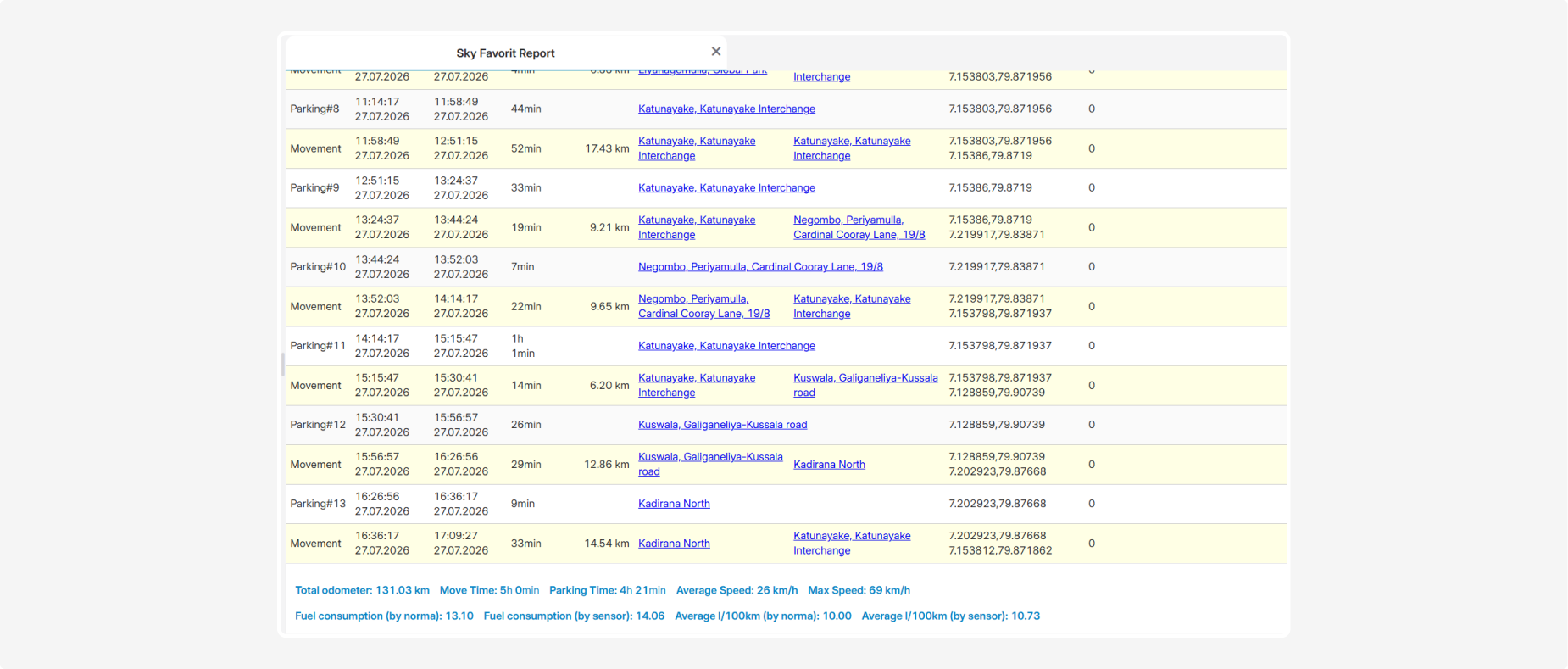
Actual fuel consumption data is available when a fuel sensor is installed and configured correctly.