Vehicle license expire
The Vehicle license expire report is designed to monitor the expiration dates of vehicle registration documents. It helps identify vehicles whose registration certificate has already expired or will expire within the selected period.
Checking period
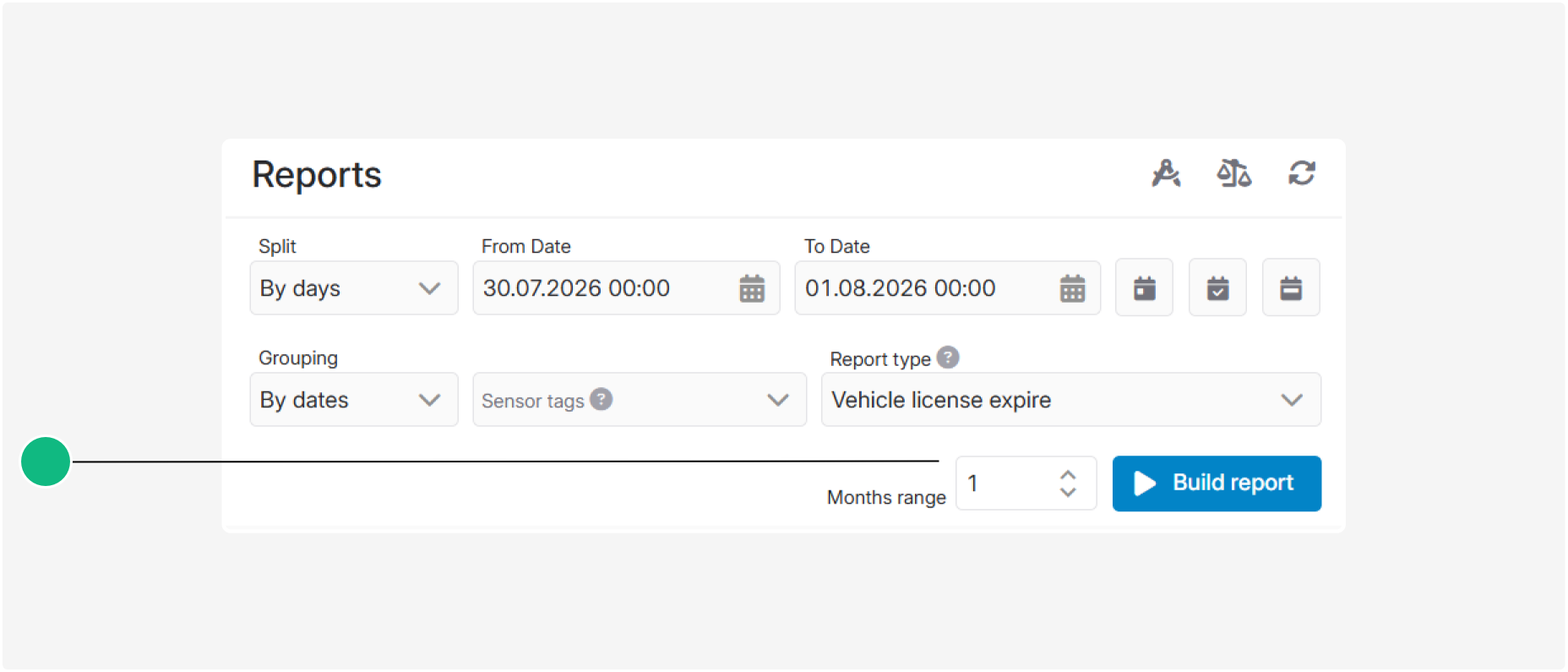
Before building the report, specify the checking period in months. The system calculates the period from the current date and selects vehicles whose registration certificate expiration dates fall within this range.
For example, if a three-month period is selected, the report will include vehicles:
• whose registration certificates have already expired
• whose registration certificates will expire within the next three months
The longer the selected period, the more upcoming expiration dates will be included in the report.
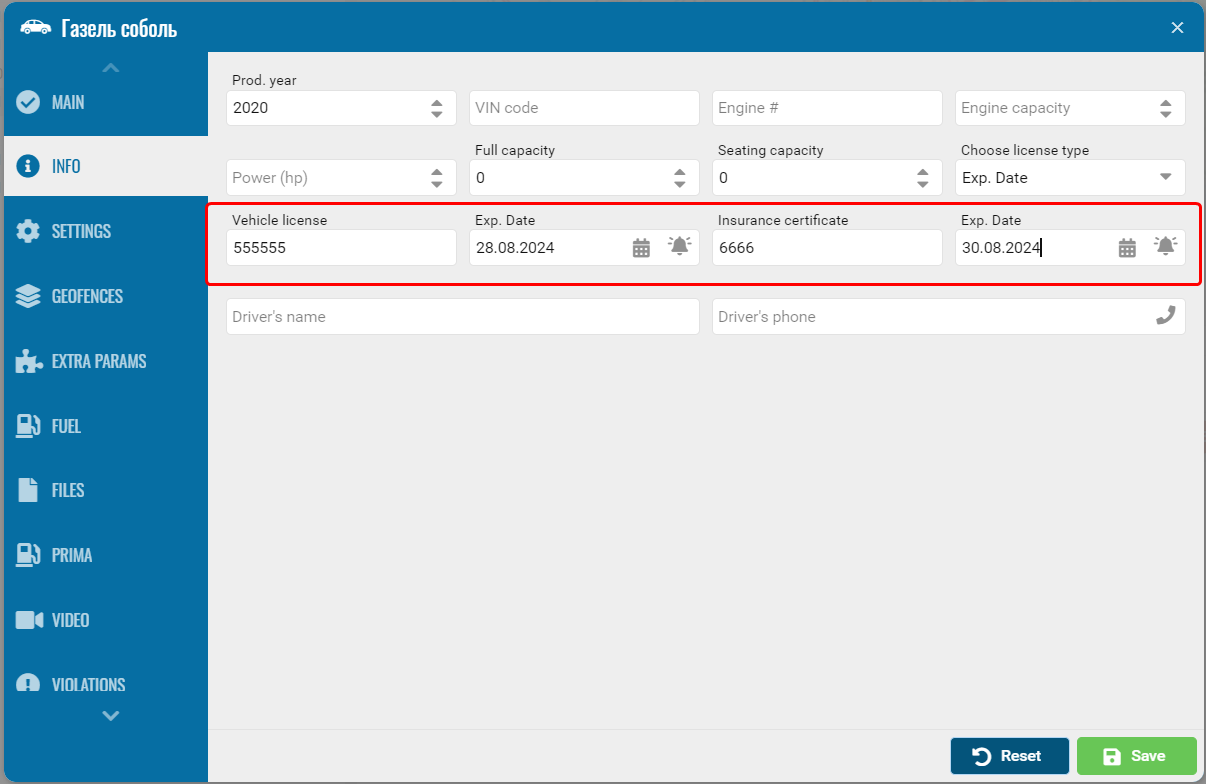
To generate the report correctly, open the “Info” tab in each vehicle card and complete the following fields:
• Registration number — the series and number of the vehicle registration certificate
• Expire date — the expiration date of the vehicle registration certificate

The system compares the specified expiration date with the checking period and includes the vehicle in the report if the document has already expired or will expire within the selected range.
What the report shows
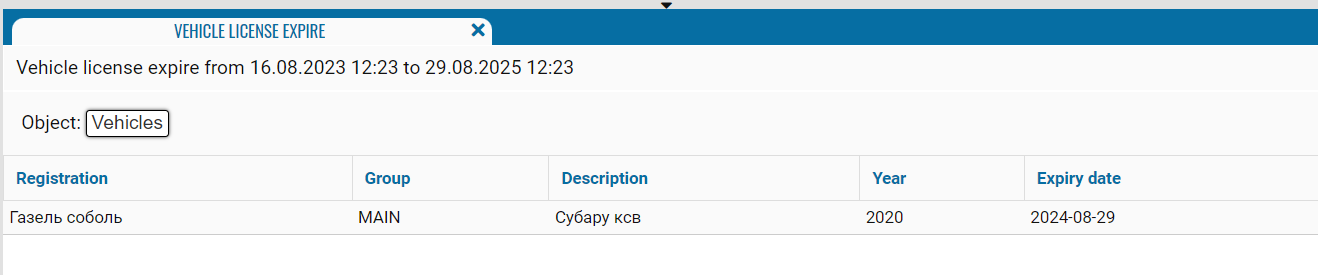
• Registration — the name, registration number, or fleet number of the monitored vehicle
• Group — the group containing the vehicle
• Description — additional information about the vehicle
• Year — the vehicle’s year of manufacture specified in the vehicle card
• Registration number — the document number specified in the vehicle card
• Expire date — the expiration date of the vehicle registration certificate