Mileage report
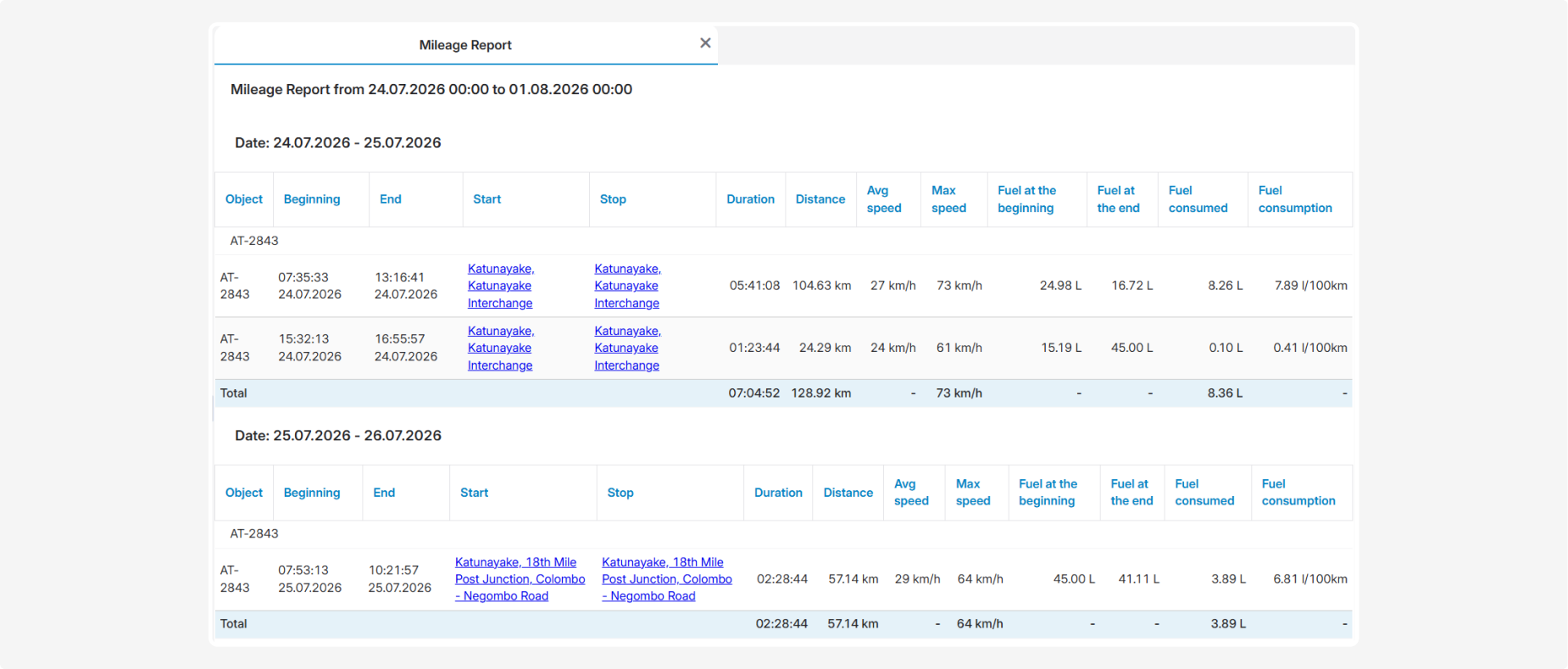
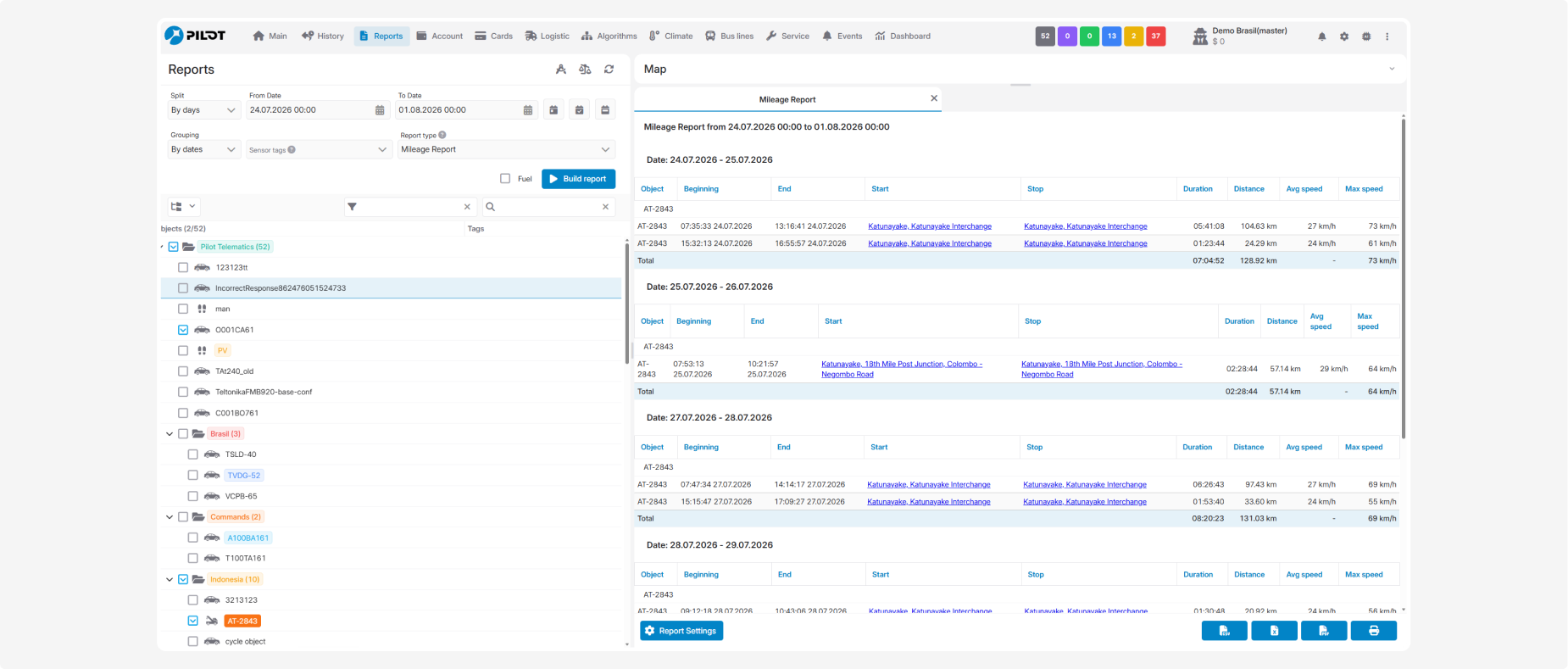
The Mileage report provides information about trips made by the selected vehicles during the specified period. It allows you to view the start and end time and location of each trip, its duration, distance traveled, and average and maximum speed.
The Total row shows the total duration, total distance, and maximum speed for the corresponding object.
What the report shows
-
Object — the name or identification number of the monitoring object
-
Beginning — the date and time when the trip began
-
End — the date and time when the trip ended
-
Start — the address or description of the trip’s starting location
-
Stop — the address or description of the trip’s ending location
The locations in the Start and Stop columns are displayed as links that open the corresponding location.
-
Duration — the trip duration, calculated as the difference between the beginning and end times
-
Distance — the distance traveled during the trip
-
Avg speed — the average speed during the trip
-
Max speed — the maximum speed recorded during the trip

Fuel data
Before generating the report, you can select the Fuel checkbox.

The following columns will then be added for each trip:
-
Fuel at the beginning — the fuel sensor reading at the beginning of the trip
-
Fuel at the end — the fuel sensor reading at the end of the trip
-
Fuel consumed — the amount of fuel consumed during the trip, in liters
-
Fuel consumption — the average fuel consumption during the trip, in liters per 100 km
These values are available when a fuel-level or fuel-consumption sensor is installed and configured correctly. If the sensor is unavailable or no data is received from it, the corresponding columns may display zero values.