Shifts dispatch
The Shifts dispatch report is designed to monitor vehicle operation according to a shift schedule in the Time control module. It allows you to compare actual dispatch and return times with the configured shift boundaries, identify schedule deviations, and review movement and parking intervals.
One shift per vehicle is recorded for each day. Day boundaries are determined by the time zone configured for the vehicle.

How a shift is determined
-
A shift begins when the vehicle leaves the designated working geofence
-
A shift ends when the vehicle returns to the working geofence
-
The permitted shift start and end times are configured in the vehicle’s working schedule
-
If the vehicle leaves after the configured start time, the system may register a late dispatch
-
If the vehicle returns after the configured end time, the system may register a late return
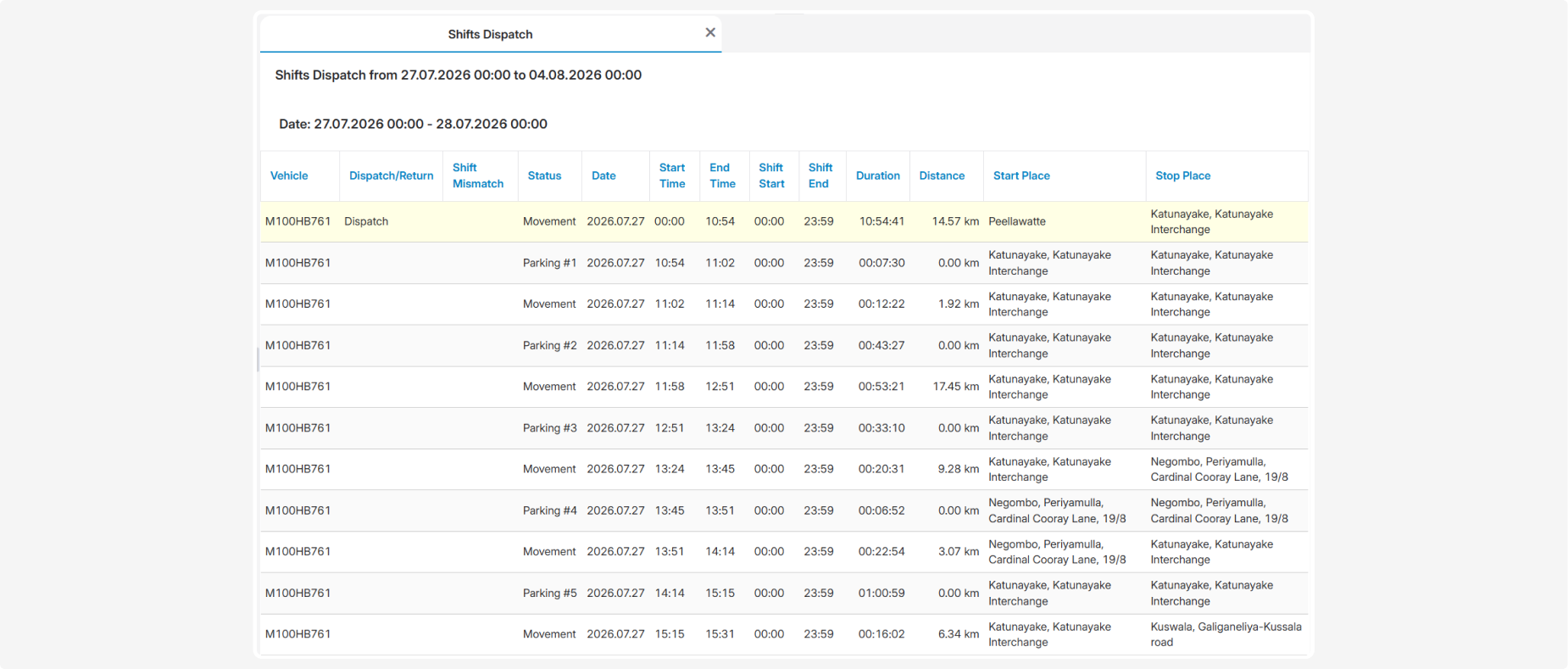
The report lists the vehicle’s movement and parking intervals throughout the shift in chronological order
What the report shows
-
Vehicle — the vehicle name, registration number, or fleet number
-
Dispatch/Return — the event marking the beginning or end of the shift: leaving or returning to the working geofence
-
Shift Mismatch — a detected deviation from the configured schedule, such as a late dispatch or late return
-
Status — the vehicle’s status during the corresponding interval, such as Movement or Parking
-
Date — the date to which the shift relates
-
Start Time — the actual start time of the displayed movement or parking interval
-
End Time — the actual end time of the interval
-
Shift Start — the configured shift start time
-
Shift End — the configured shift end time
-
Duration — the duration of the corresponding interval
-
Distance — the distance travelled during the interval. Parking intervals normally show a zero value
-
Start Place — the address or location description at the beginning of the interval
-
Stop Place — the address or location description at the end of the interval
Preparing data for the report
To ensure that shift start and end times are determined correctly, configure the working geofence and the vehicle’s working schedule in advance:
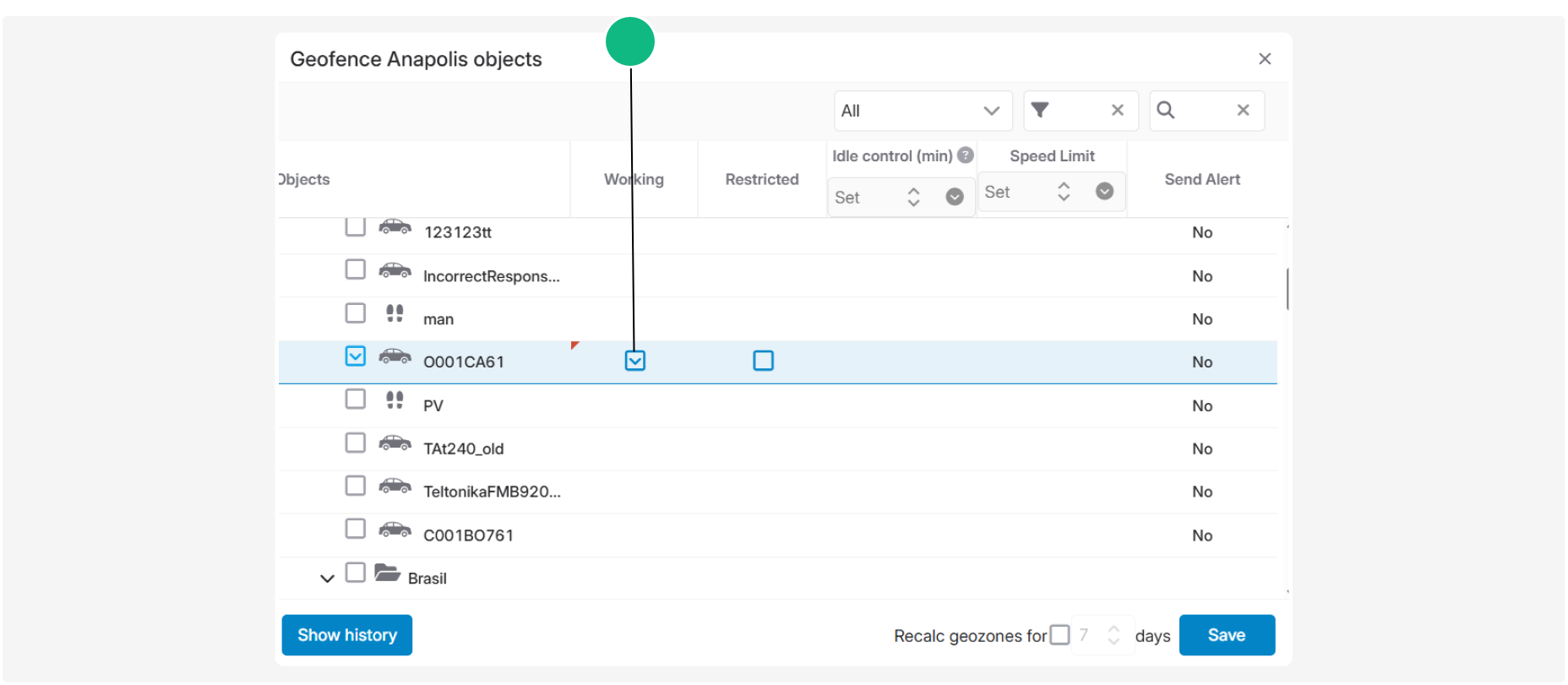
1. In the geofence settings, assign the required vehicle and select Working for it. Leaving this geofence will be treated as the beginning of the shift, and returning to it as the end of the shift.
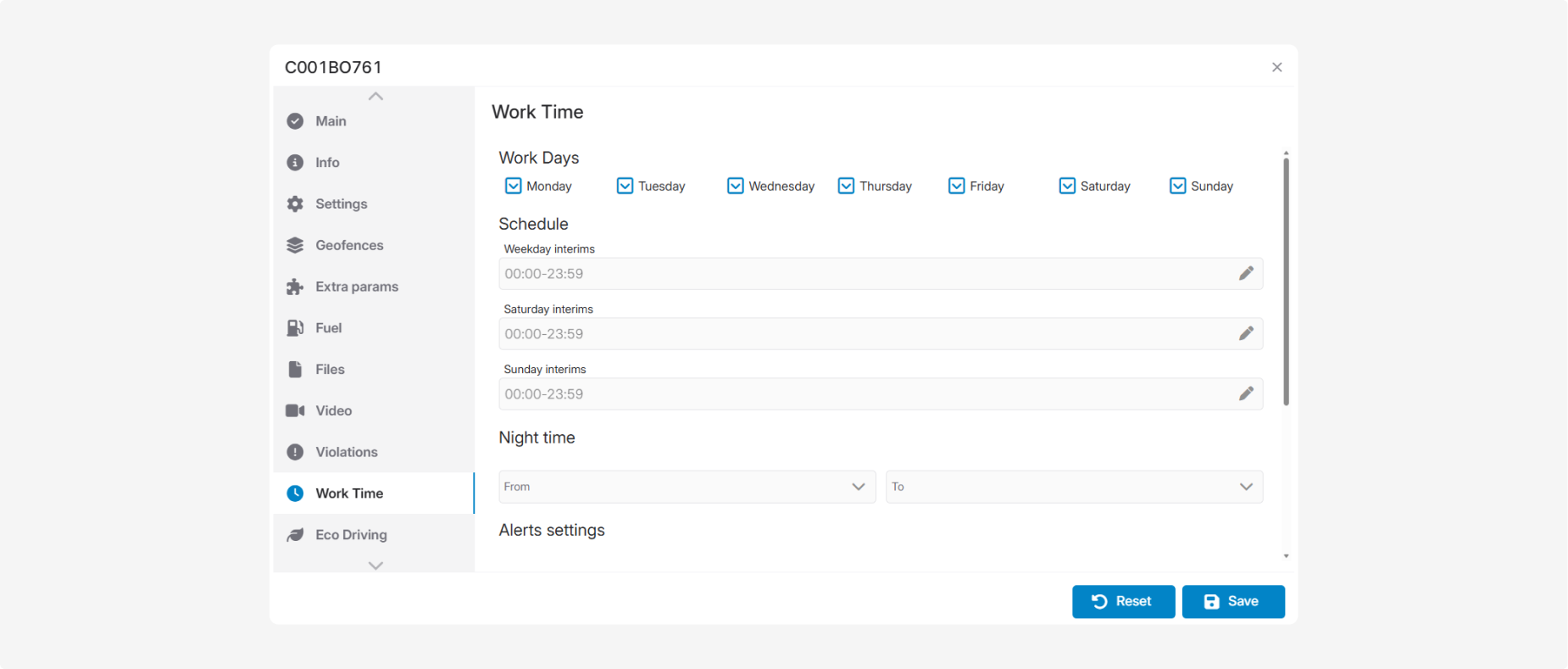
2. In the vehicle card, open the Working time tab, select the working days, and configure the schedules for weekdays and weekends.
3. Check the vehicle’s time zone. It determines the day boundaries and is used to compare actual events with the configured schedule
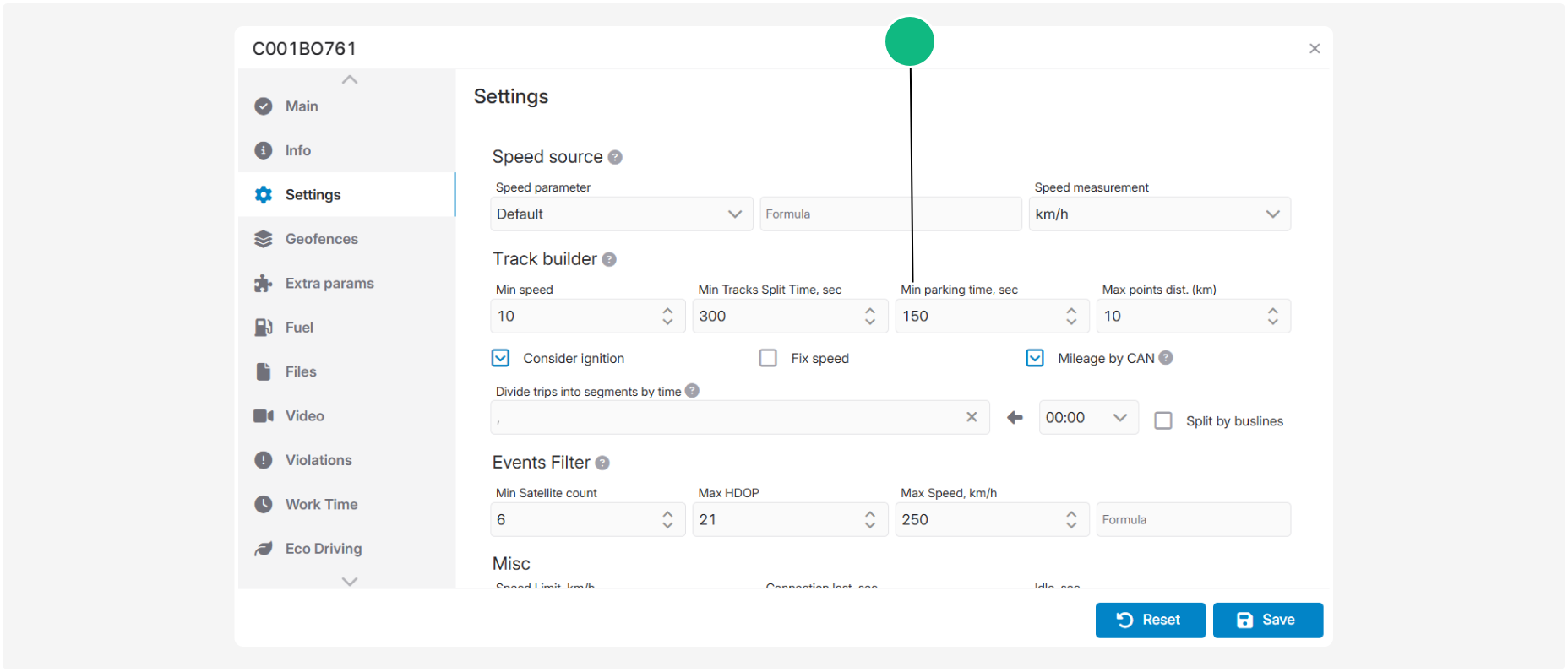
4. Check the parking-time setting in the vehicle card. This value determines the minimum stationary period that the system recognises as a parking interval
If the working geofence, working schedule, time zone, or parking parameters are not configured, some shift details and schedule deviations may be missing or determined incorrectly.